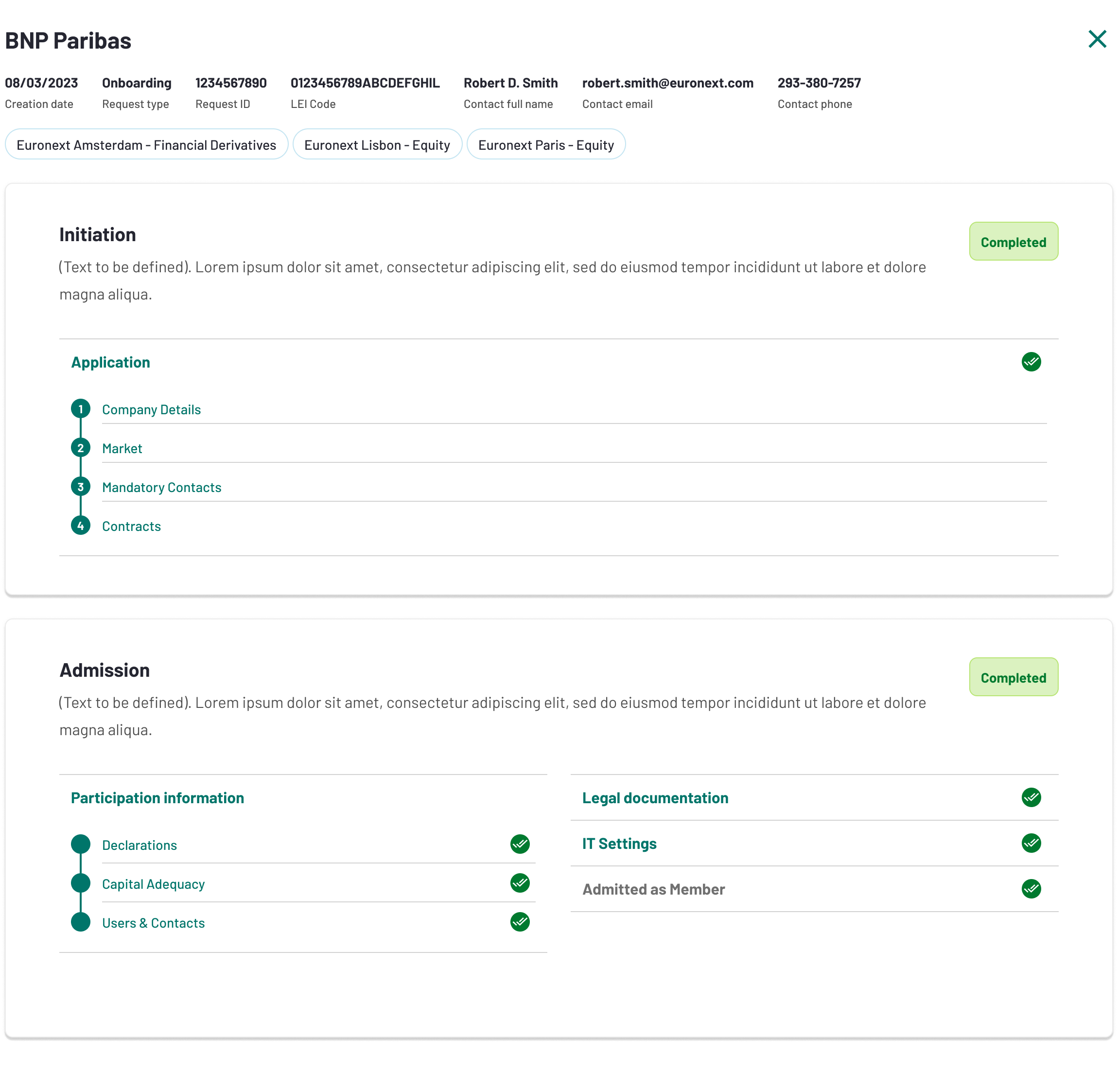
Clearing - Admission phase
Once the Initiation stage is completed the admission stage starts. From this point forwards the onboarding process will be managed by the registered Authorised Representatives instead of the Prospect User. No further action is required from the Prospect User.
The folder for the Admission stage is displayed to the Authorised Representatives as follows:
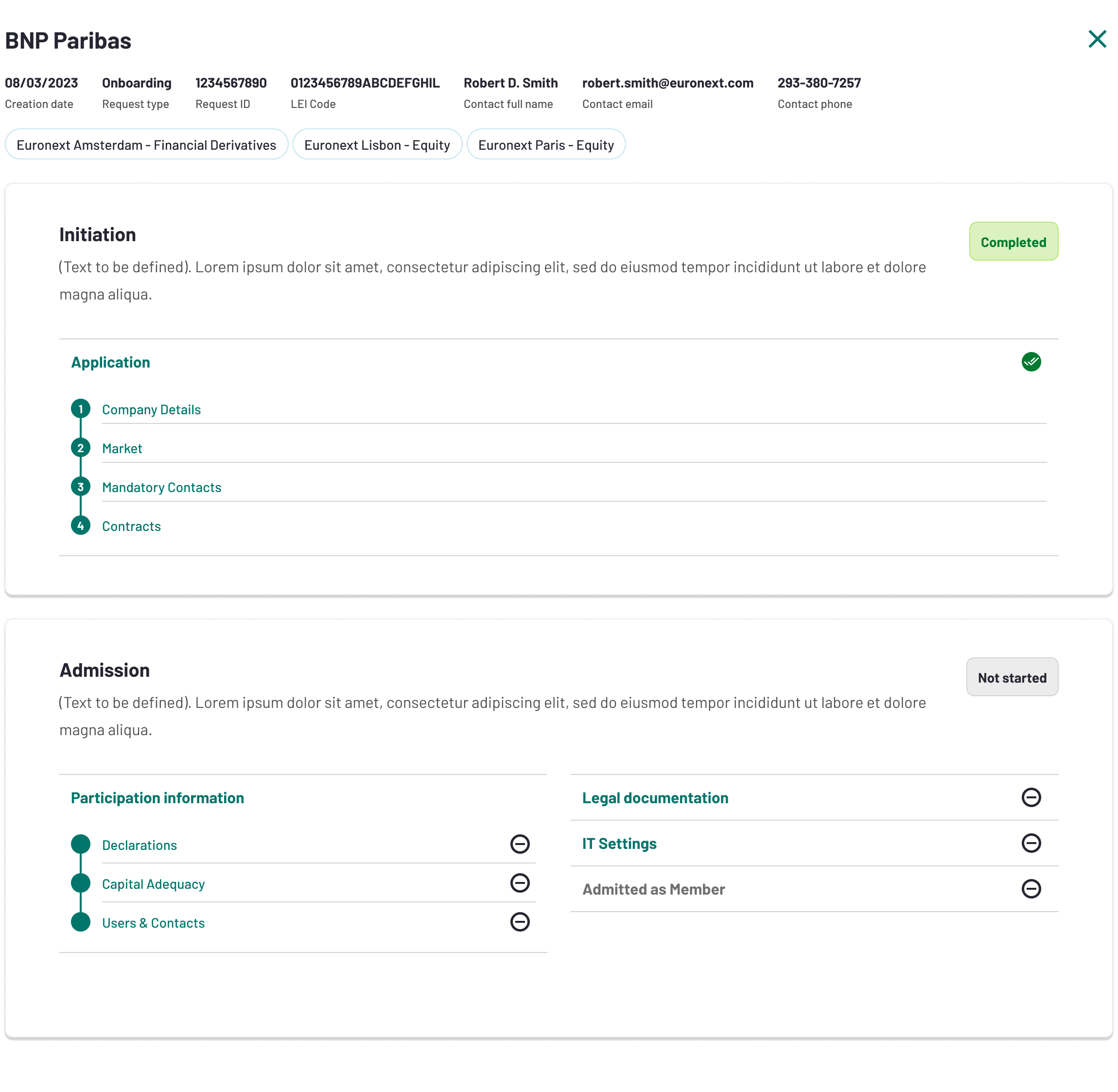
In the Admission stage, Authorised Representatives will need to fill out forms on Participation information, Legal documentation and IT settings.
Participation information
Declarations
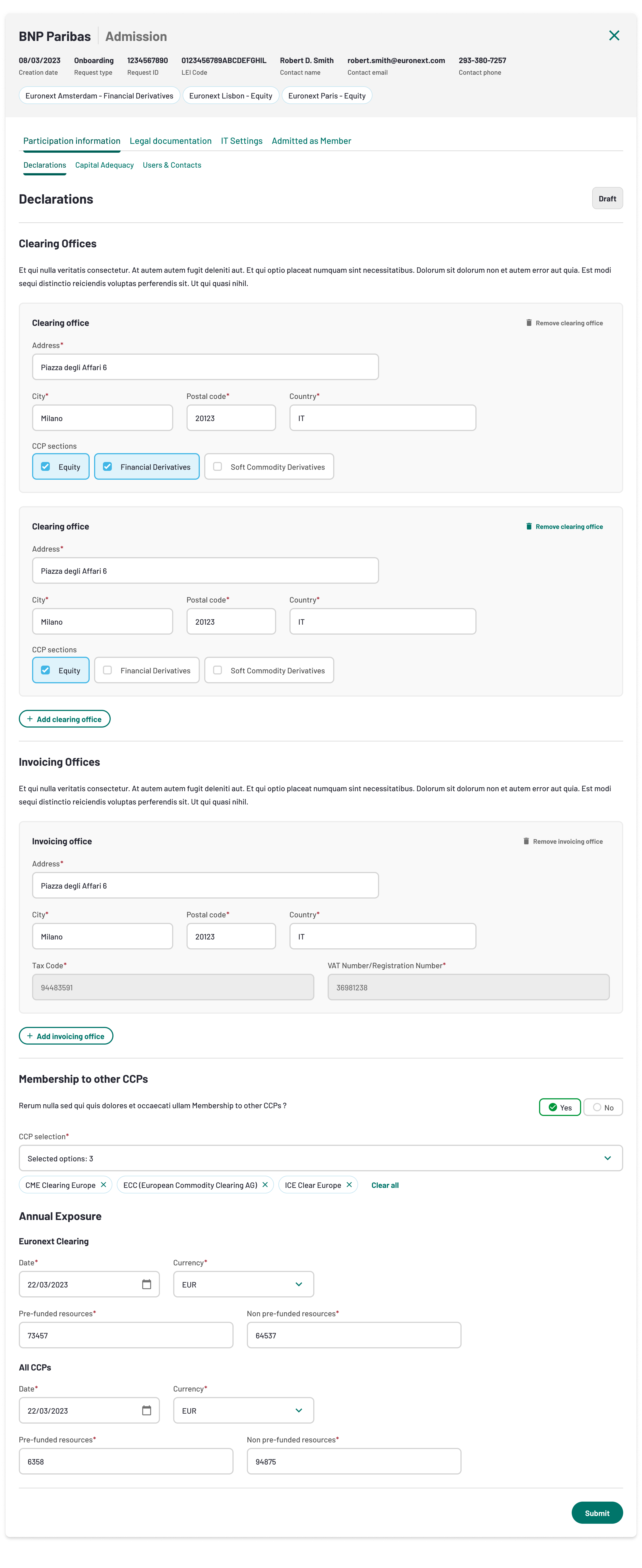
The Declarations define the following elements :
- Clearing Offices : Address at which the clearing activities are managed. It could be the same as the registered office and it could be different per Asset Class and CCP section.
- Invoicing Offices : Address at which the invoices are sent.
- CCP section : In this form, you need to indicate the participation to others CCPs and your membership profile
- Annual Exposure : This form has to be filled in by exisiting clearing members once per year at the beginning of the year (double check with credit risk). It will be prefilled in by Euronext Clearing and clearing members will have to complete the fields by checking the information provided by E.C and adding other exposure in respect to the other CCPs to which they participate.
When the form is submitted, the status will change to Pending Approval :

And it will move to Accepted as soon as the form is accepted by Euronext.

Explain how the rejection works in case it happens
Capital Adequacy
The Capital Adequacy enables the users to fill-in the regulatory information and Capital Adequacy Ratios related to the participation information.
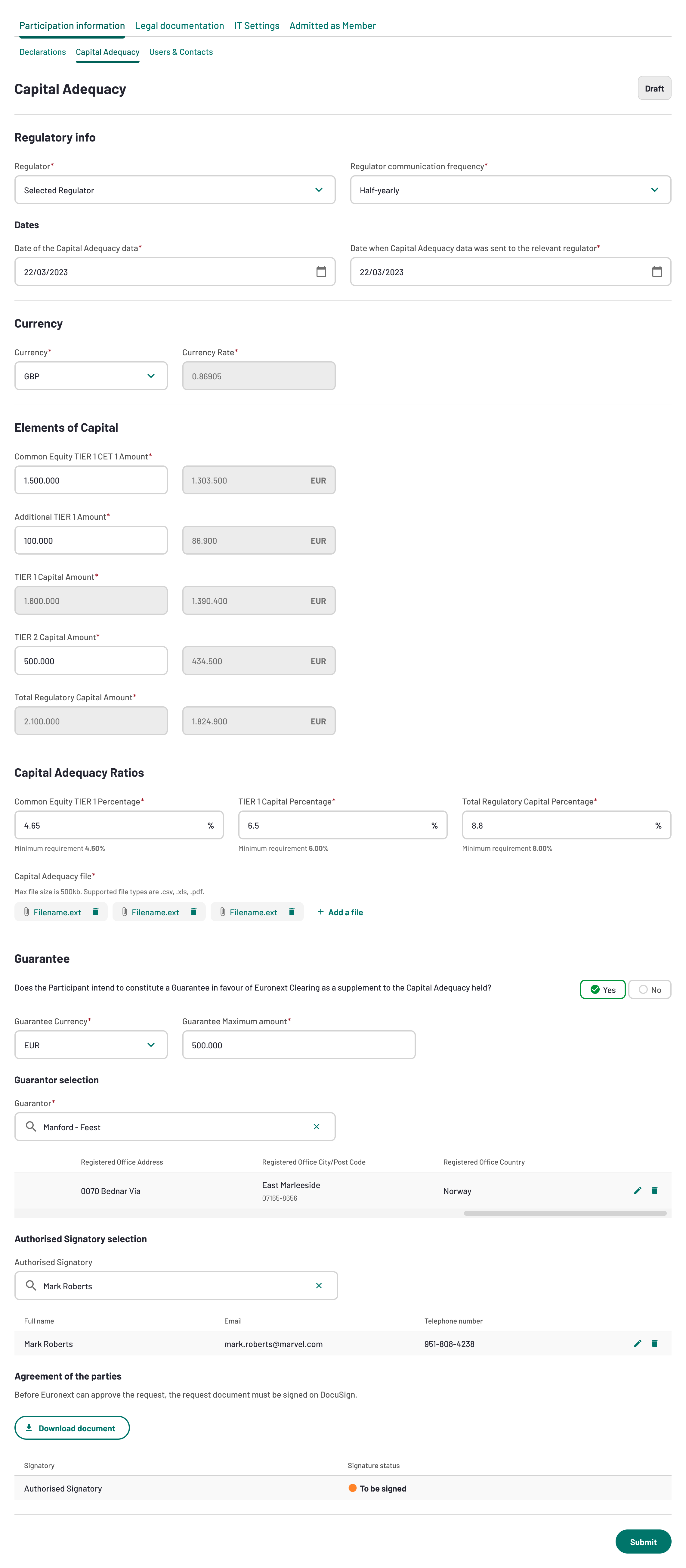
Once the Capital Adequacy form is submitted, its status will move from Draft to Pending Approval. It will then be reviewed by Euronext.
Users and contacts
In this tab the Applicant will need to fill in the details of the contacts mentioned below :
- Billing contacts
- Capital Adequacy contatcs
- Clearing contacts
- Default Fund Contacts
- Settlement Contacts
All users will require a Connect account to access the MyEuronext portal. Therefore, users will have to create an account on Connect by following the steps described here.
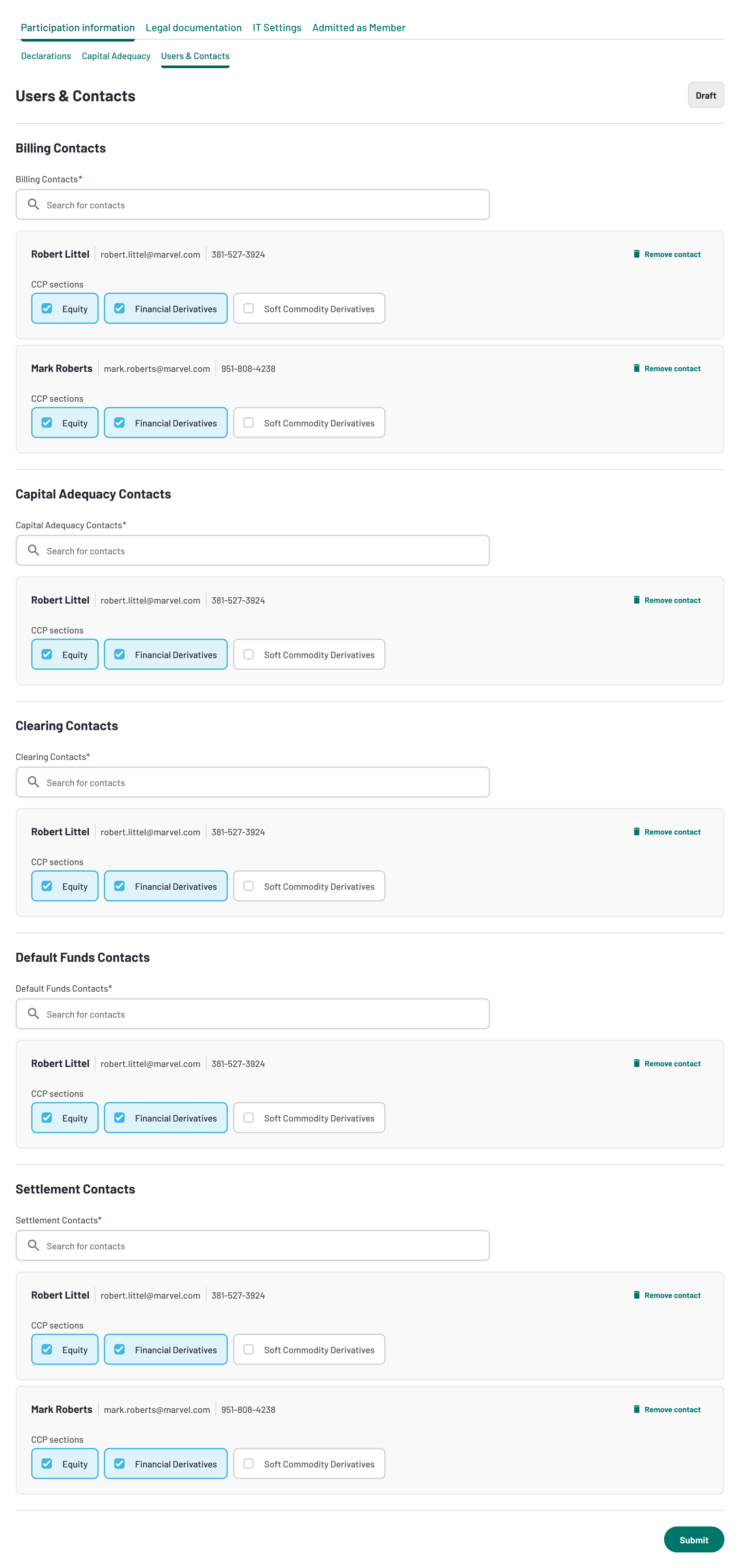
When the form is submitted, the status will change to Pending Approval :

And it will move to Accepted as soon as the form is accepted by Euronext.

Legal Documentation
On the Legal documentation form, you will have to upload the following mandatory documents :
- CCP Account Structure Setup Request Form
- House & Omnibus Client acitivity
- Financial Statements
- Any other relevant legal documents needed
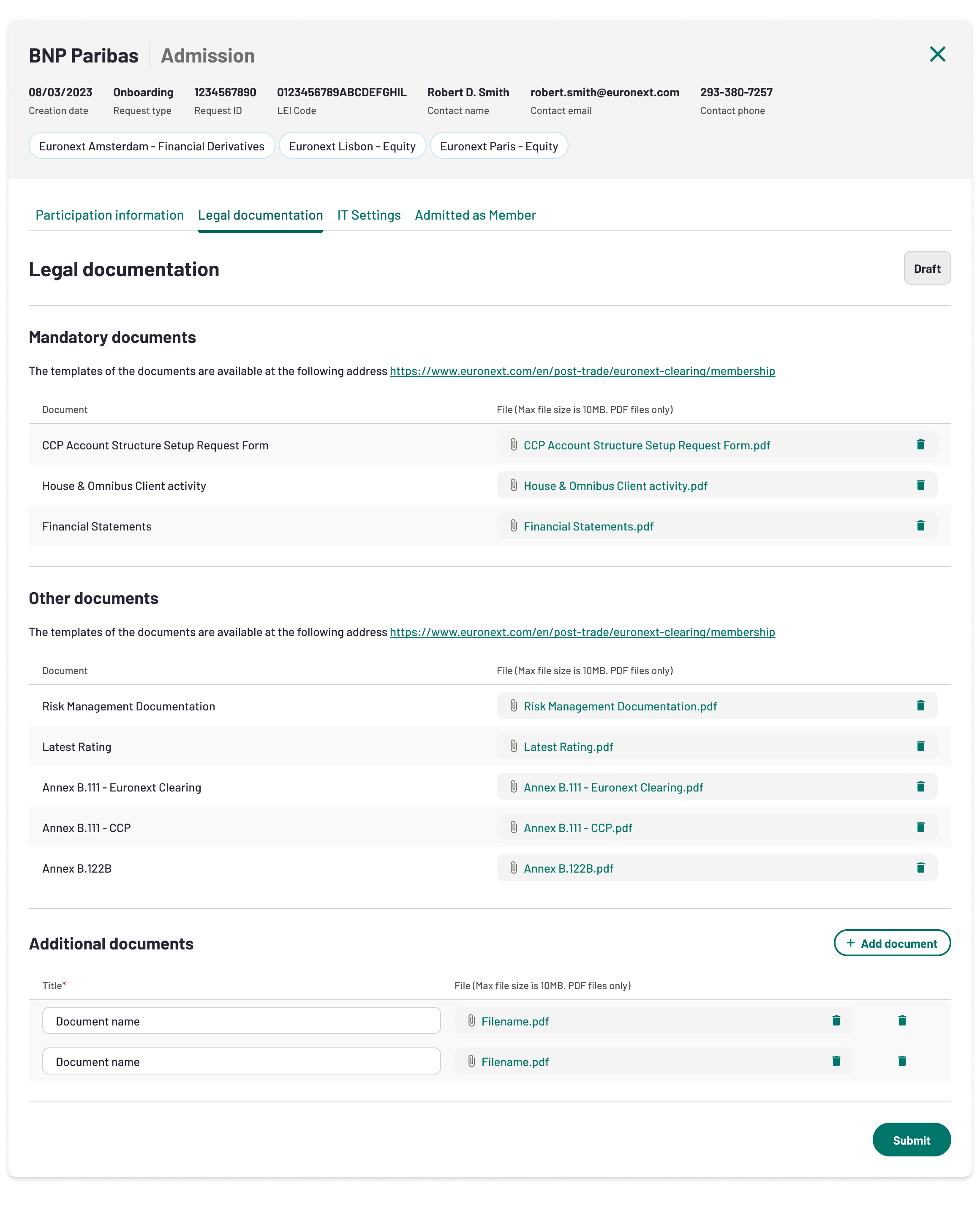
When all the legal documents needed are uploaded and submitted, the status of the legal documentation will move from draft to pending review and will be reviewd by Euronext.
Add screenshots about the statuses
IT Settings
This form allows to configure all the IT settings needed for the onboarding. You will have to fill-in the following mandaotry information:
- SFTP
- API
- WCS Technical User
- WCS Business User
- FIX Protocol
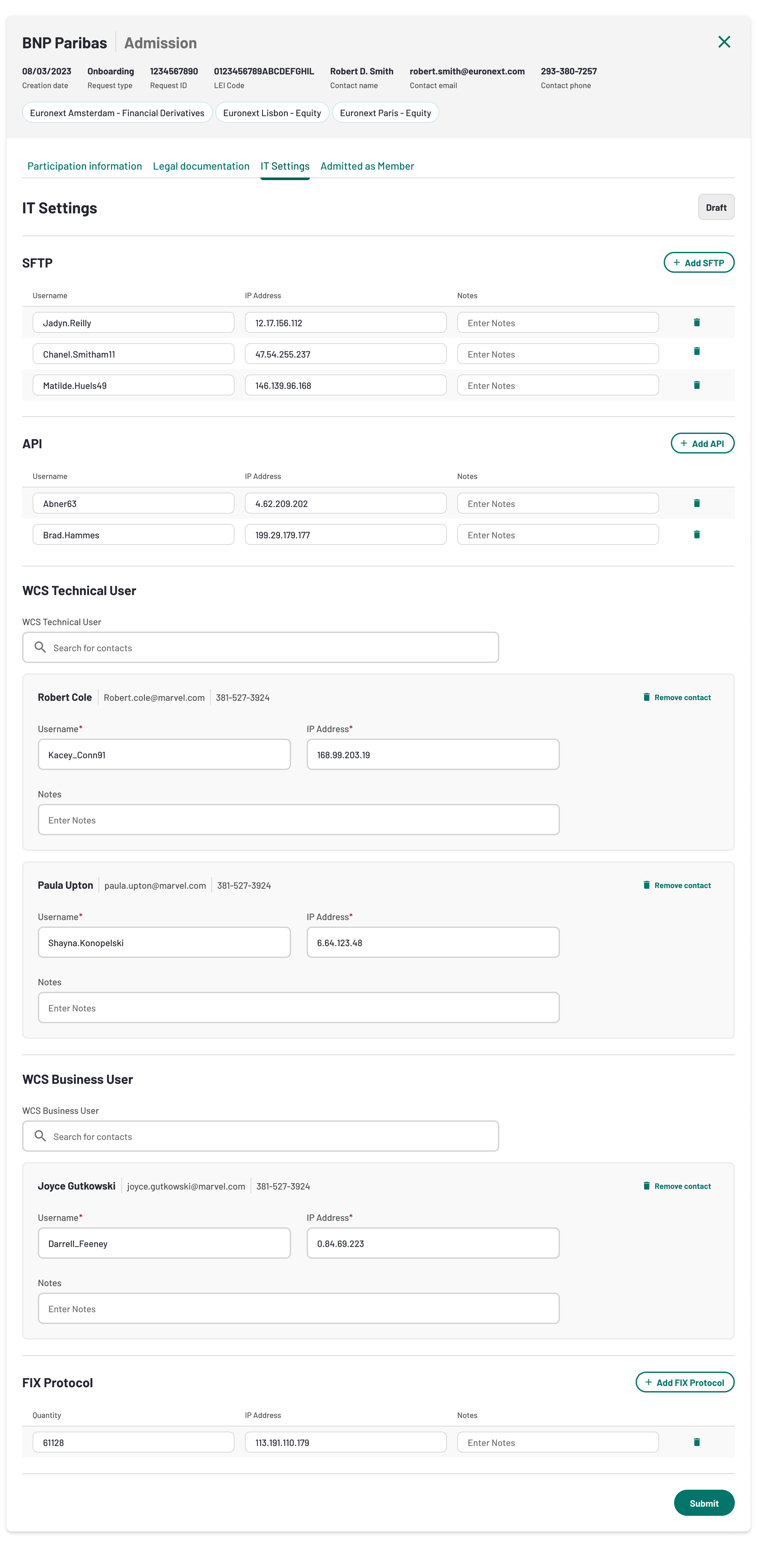
Once the IT settings form is submitted, its status will move from draft to pending review and will be reviewd by Euronext.
Add statuses
Euronext will review all the forms listed above and approve the Admission stage. Once this stage is approved, its status will change to Completed. The Applicant will receive an official Admission Letter as confirmation.