
Go-live
The Go-Live phase is the final stage of the onboarding process where the Member is approved for activation in production on the relevant market(s). Once approved the status will change into Completed and the Member receives a notification.

This same Go-Live process also applies to Extension Requests, ensuring a consistent approach for both initial onboarding and subsequent market extensions.
However, note that not all sections are equally used for all different types of requests.
The Go-Live stage screen is enabled after the Technical Configuration is "Acknowledged". Please note that any change performed during the Go-Live stage is not changing data entered during admission and technical configuration.
The following subchapters explain the steps of this stage.
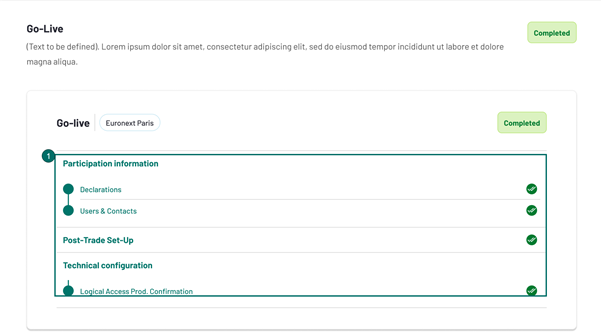
The Client view displays key information relevant to the participant’s setup, including:
- Participant Information;
- Post-Trade Setup;
- Technical Configuration;
These elements allow the client to review and validate their setup prior to Go-Live for a certain Market.
Participant Information
In this step, within the Go-Live Market selection, the Member:
- can review their Participant Information (which is pre-filled with data from the Admission phase). However, unless prompted by action of Euronext Membership, the member cannot edit (with the exception of "Technical Configuration - Logical Access Production Confirmation").
If the Euronext Membership decides to trigger "Customer Review" for any (or several) of the points mentioned above, a notification is sent to the member only once the market selection for go-live is submitted (notifications aren't triggered each time the "Customer review" button is clicked).
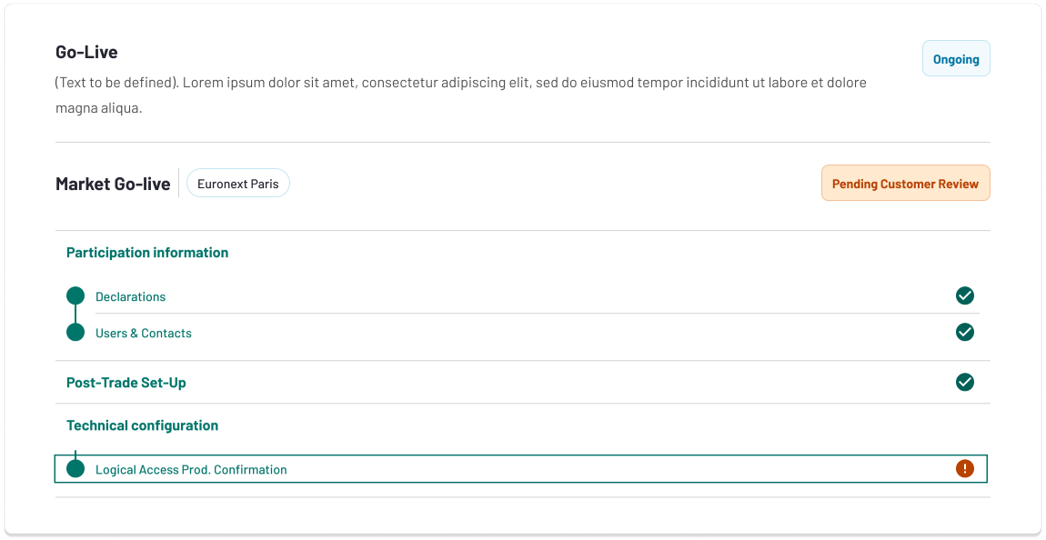
The Member sees, as a consequence, the "Go-live" section with the corresponding rejected point set to red exclamation point and Status "Pending Customer Review":
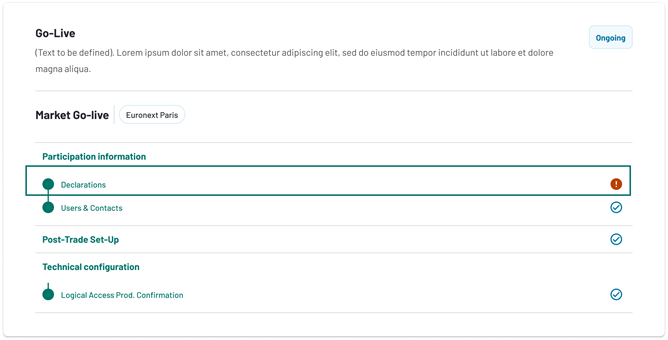
In this case, the Member is then allowed to amend information in the impacted section, but only concerning the market involved in the Go-Live section impacted:
- In case the "Declarations" section is indicated to require further updates, the Member can amend the sections referring to the Market impacted;
- In the case of the "Users And Contacts" section is indicated to require further updates, the Member can amend the sections referring to the Market impacted;
Once the Member is satisfied, they can submit again, sending it back to the Euronext Membership for validation of the updated information applicable to the Market for which Go-Live is being managed.
Post-Trade Set-Up
The Post-Trade Set-Up screen displays the same information entered during admission and technical configuration.
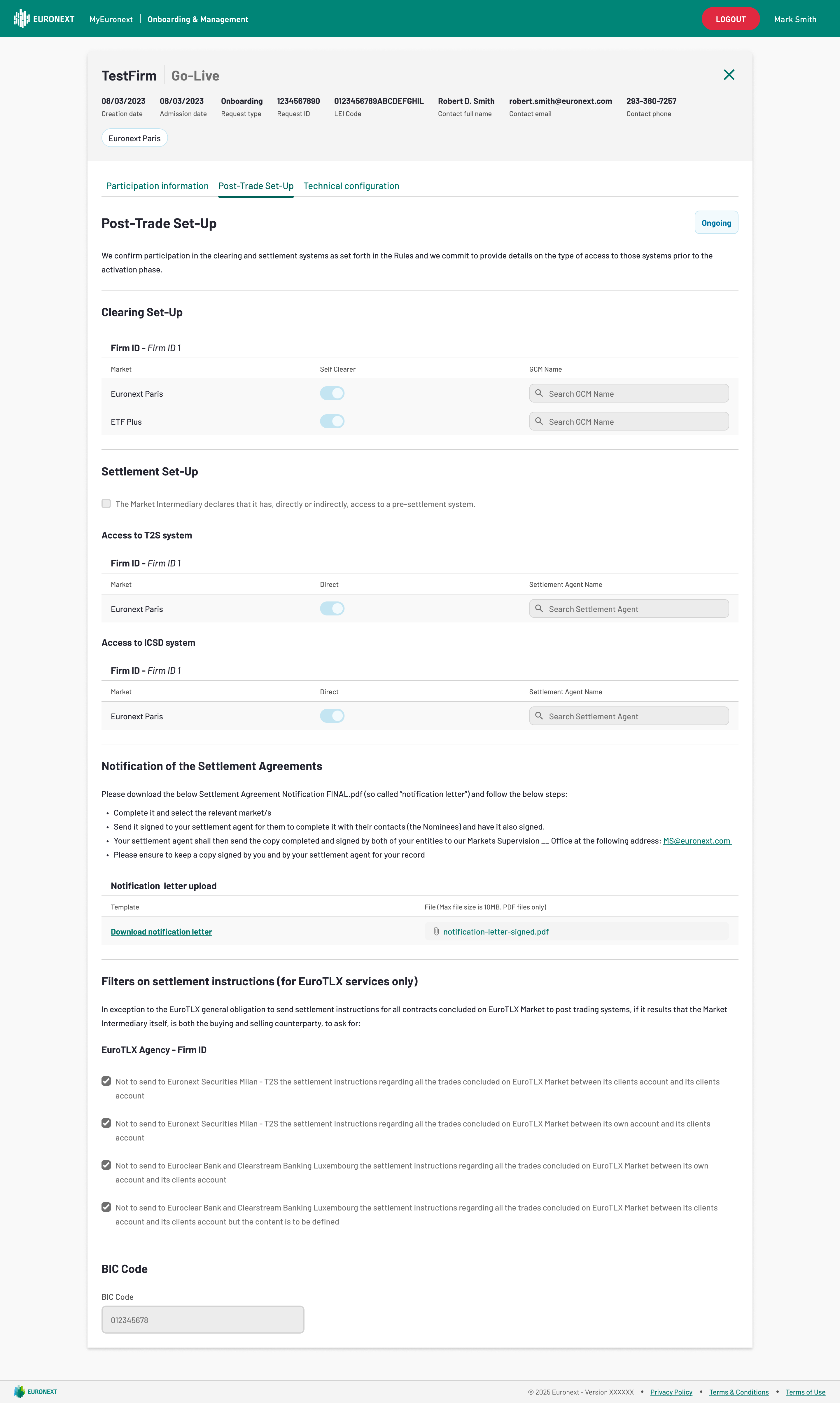
Available for review by the Member (but not for any change upon creation of the Market Selection by the Internal Euronext Team), the form is pending Euronext approval.
If Euronext Membership decides to trigger "Customer Review" any of the points mentioned above, the Member sees, as a consequence, the "Go-live" section with the corresponding highlighted point set to red exclamation point:
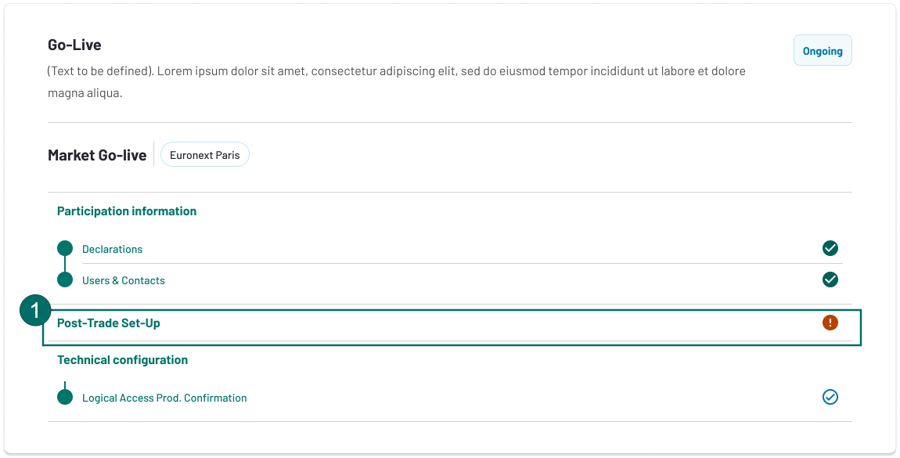
In this case, the Member is then allowed to amend information in the rejected "Post-Trade Set-Up" section, but only concerning the market involved in the Go-Live section impacted:
Validations - Note that the same checks applied when originally setting the Post-Trade Set-up for the Admission/Extension Request also apply to any updates the Member may perform at the Go-Live point for a given Market Selection.
Possible Actions - For Post-Trade Set-up, if the checkboxes are ticked, then the "Name" fields (GCM Name, Settlement Agent Name) are greyed out.
Multiple Go-Live Sections - In cases where there are multiple Go-Live sections with modifications, changes made to one market’s setup (including cross-market data) do not overwrite or impact other markets Go-Live section. The section with the latest Go-Live date is considered the final version and determines the definitive setup for that participant.
Data used - Note that, once this section is approved by the Euronext user, its data is set and isn't updated if there is an update to the Firms data in Company Data Management.
Technical Configuration
Logical Access Production Confirmation
Unlike the other steps, the Member is expected to provide the Logical Access Production Confirmation for the specific markets in this section.
- Why: The confirmation submitted during the Technical Configuration phase covered all markets in the onboarding process, whereas this confirmation applies to an independent Go-Live.
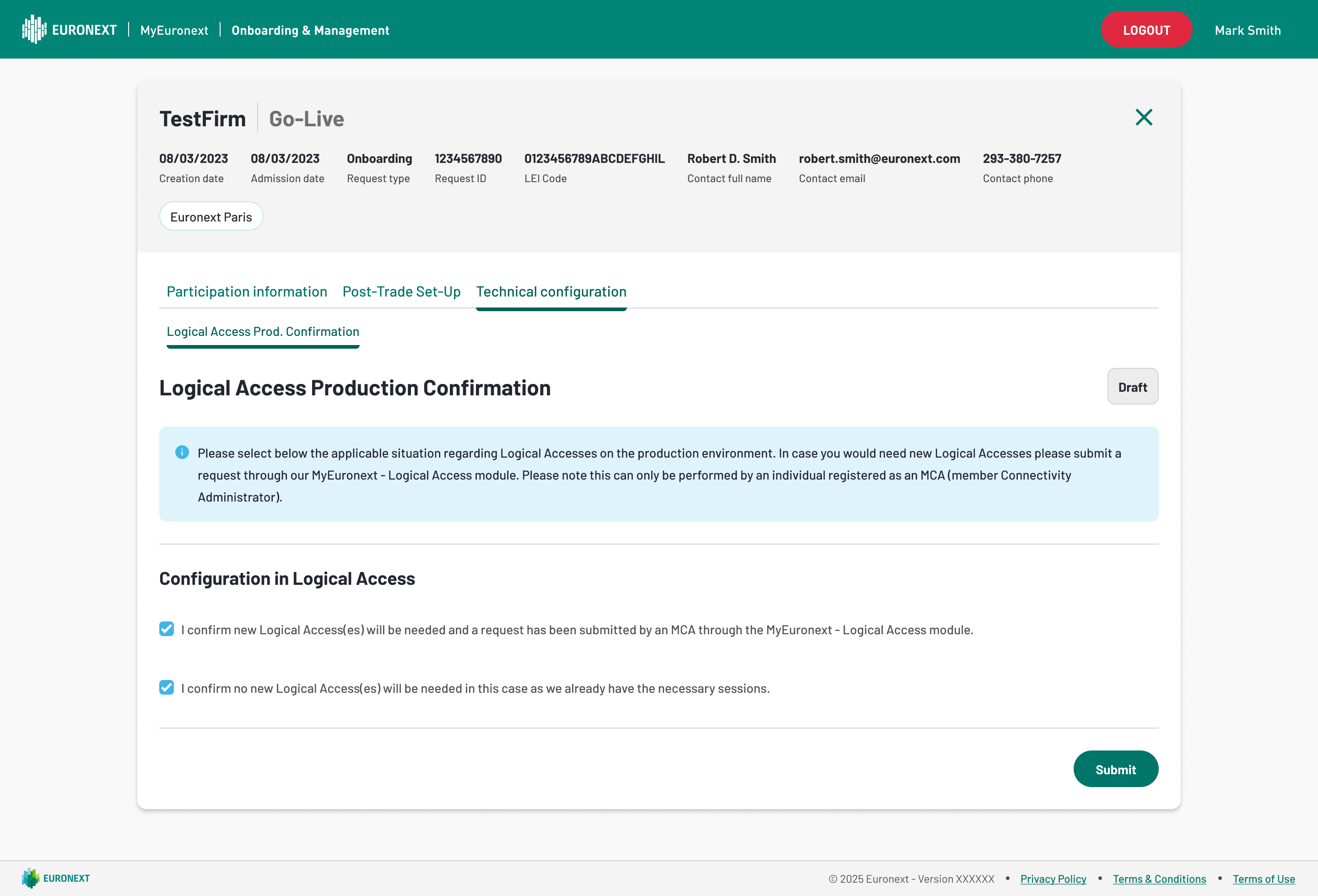
Once completed and submitted by the client, the form is pending Euronext approval.
Similarly to the previous sections, the Euronext Membership can "Approve" or trigger "Customer Review".
If Euronext Membership decides to trigger "Customer Review" any of the points mentioned above, the Member sees, as a consequence, the "Go-live" section with the corresponding highlighted point set to red exclamation point:
Status Workflow
The Go-live phase follows the following status workflow:
| Status | Description |
|---|---|
| Not Started | When the previous stage has not been completed yet |
| Ongoing | When the stage has been sent for the validation but not yet validated or when at least one of its form has not been validated |
| Pending Approval | When the form has been sent for the validation but not yet validated |
| Acknowledged | When all the forms of the stage have been validated |
| Pending Customer Review | When the form has been sent back to the client because it could not be validated |
| Completed | When all the stages have been validated and go-live has passed |
| Cancelled | When the user requested to delete the stage |