Track Specialist Obligations
What Are Specialist Obligations?
A specialist obligation is a regulatory requirement for specialist intermediaries to publish research on specific issuers within 30 days of a general meeting event (yearly or semestral). WebStudi automatically generates these obligations and tracks whether they are fulfilled.
Access the Specialist Obligation Page
From the main menu, click Specialist Obligation.
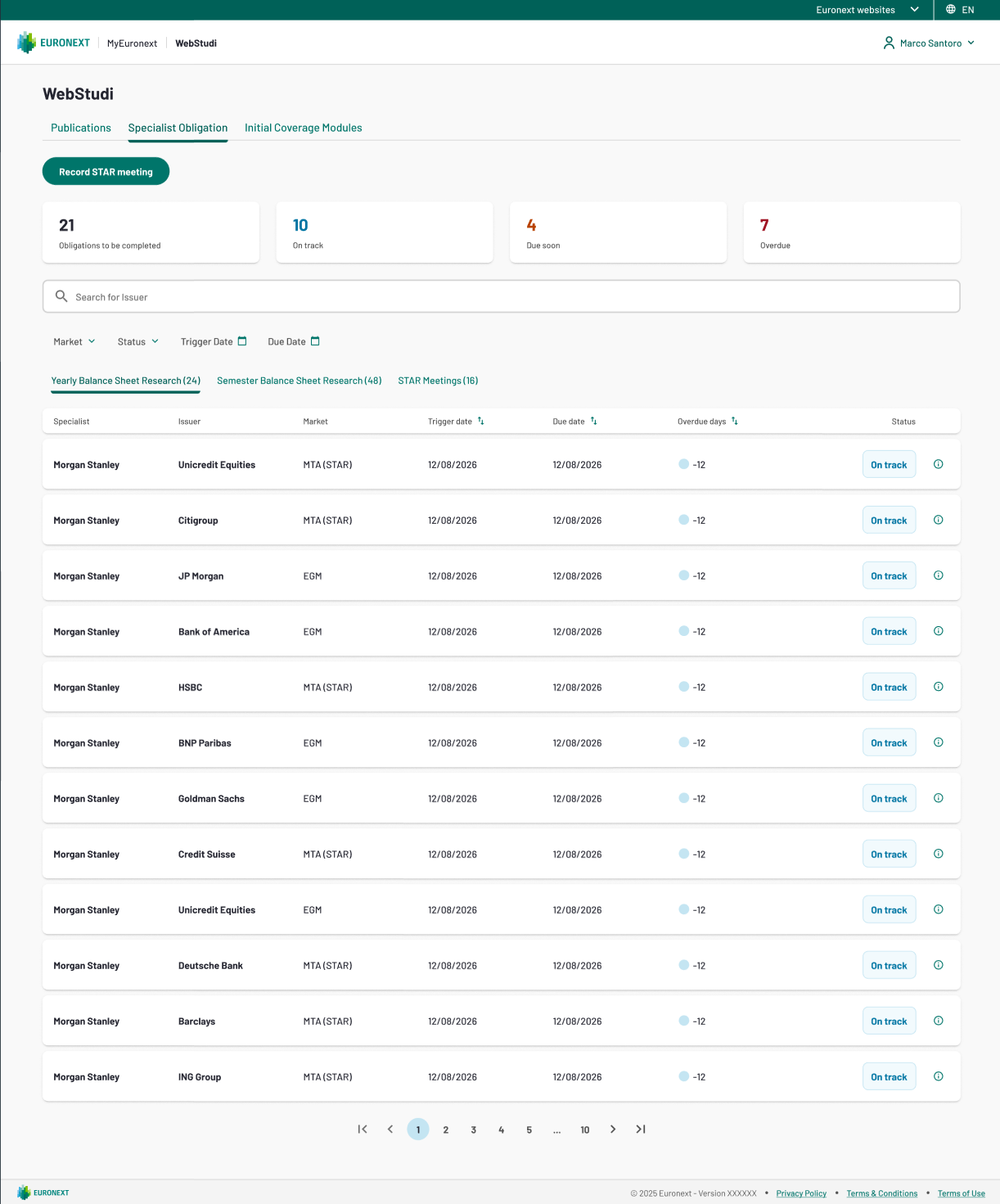
As a Specialist Intermediaries you will see Obligations for issuers you are linked to as a specialist.
Understand the Obligation Table
Column | Description |
|---|---|
Specialist | The intermediary firm with the obligation |
Issuer | The company the obligation is for |
Market | The market segment (MTA-STAR or EGM) |
Obligation Type | Yearly Balance Sheet or Semester Balance Sheet |
Trigger Date | Date of the general meeting that created this obligation |
Due Date | Deadline to publish the research (30 days after trigger date) |
Status | Not Started, In Progress, Completed, or Overdue |
Tip: Obligations are sorted by Due Date — the nearest deadline appears first.
Monitor Specialist Obligation Compliance
Each obligation row shows its Status with a colour-coded badge:
- Not Started (gray) – No publications have been submitted yet for this obligation
- In Progress (yellow) – A draft publication exists; awaiting final submission
- Completed (green) – A publication matching this obligation has been submitted
- Overdue (red) – The due date has passed and the obligation is not yet completed
Attention: If you see a red Overdue badge, you must submit research immediately to avoid regulatory penalties.
Record a STAR Meeting
When a general meeting event occurs for an issuer, it record it in WebStudi. This triggers the 30-day obligation countdown for the relevant specialist intermediary.
From the Specialist Obligation page, click the Record STAR meeting button at the top of the page.
In the form that opens, fill in all required fields:
Field | Description |
|---|---|
Specialist | Select the intermediary firm from the dropdown |
Issuer | Search and select the issuer company (type 3+ characters) |
Meeting Date | Enter the date the general meeting took place |
Meeting Reference | Enter a unique identifier for the meeting (e.g. GM-ENI-2025-03-12) |
Notes | Optional — add any relevant context about the meeting |
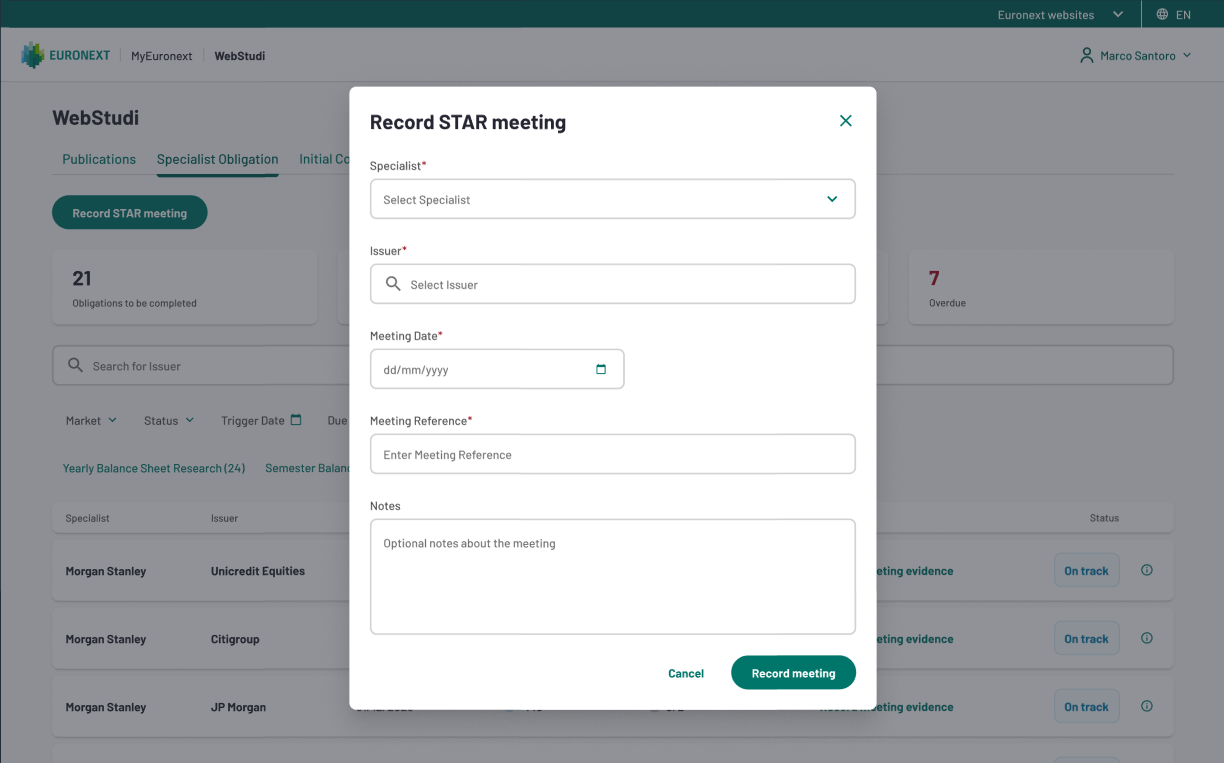
Click Record meeting to confirm. The obligation is created and the 30-day deadline starts from the meeting date.
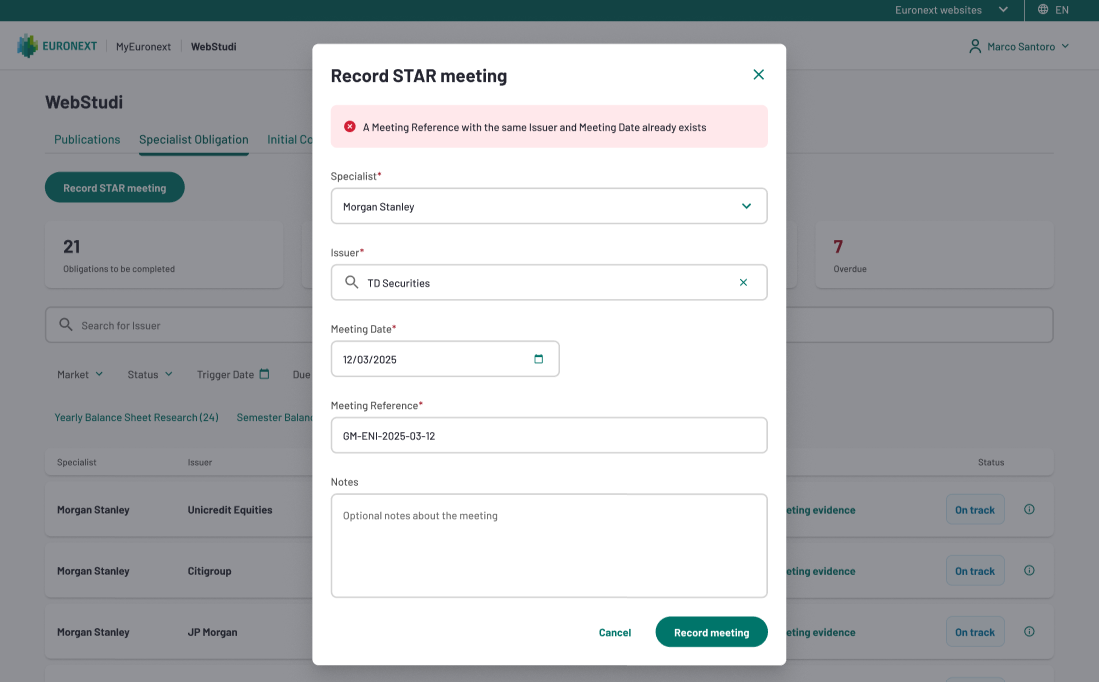
Attention: If the same Issuer, Meeting Date, and Meeting Reference combination already exists, the system will display an error: "A Meeting Reference with the same Issuer and Meeting Date already exists." Check whether the meeting has already been recorded before trying again.