
Retrieve Archived Publications
What Is the Archive?
The Publications Archive allows you to search for and retrieve historical publications older than 3 years. These older publications are removed from the main Publications page to maintain performance, but remain accessible through the "Publications Archive" search interface.
Access the Archive
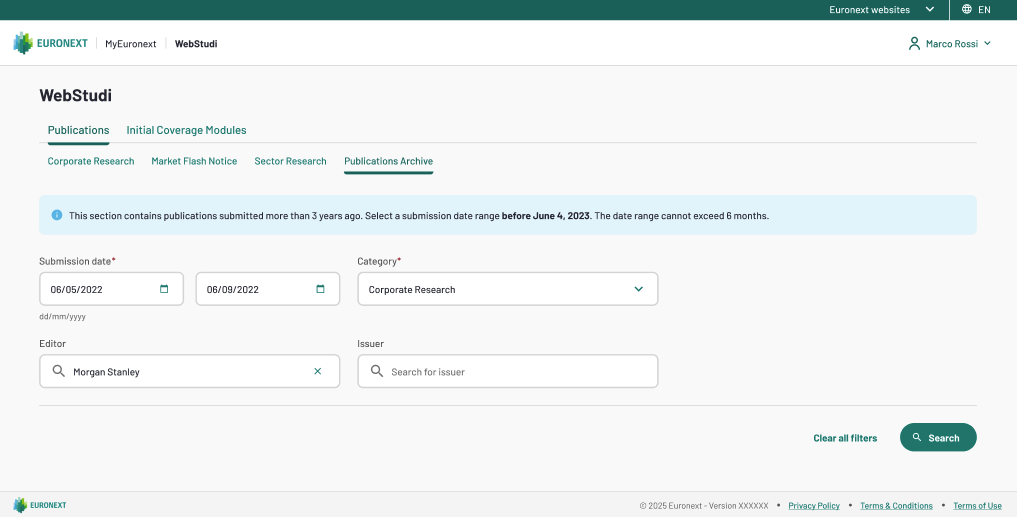
Fill the Archive Search Form
All searches require three mandatory fields:
- Submission Date From: click the date picker and select the earliest submission date to include in your search. Dates must be older than 3 years from today.
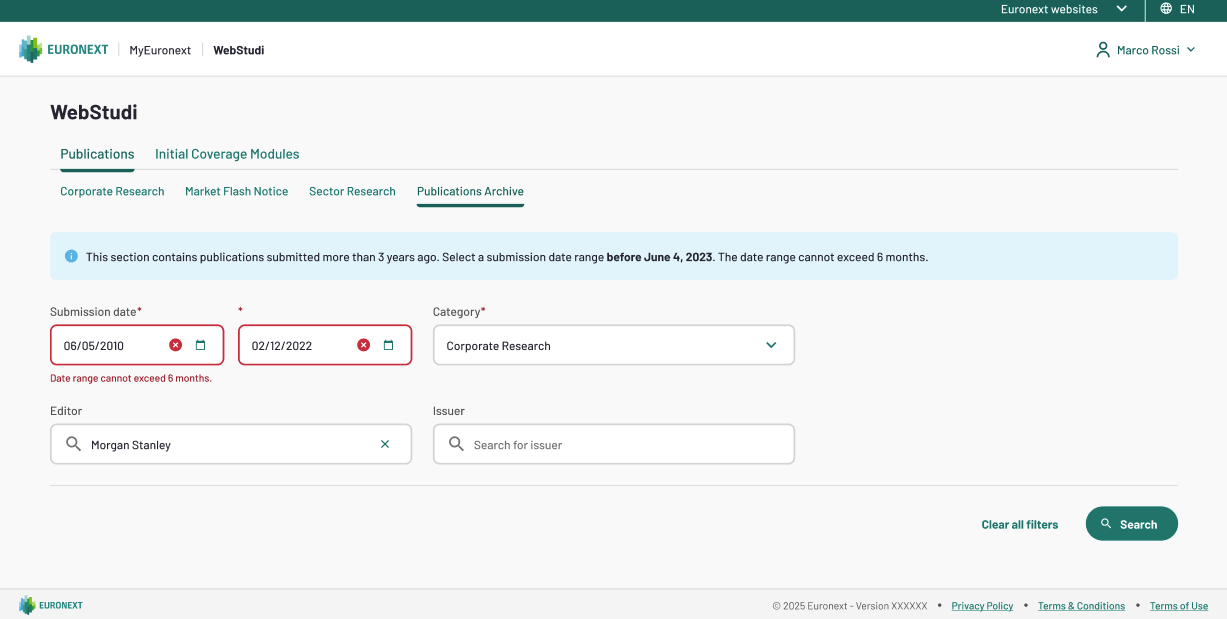
- Submission Date To: Click the date picker and select the latest submission date to include in your search. The date range cannot exceed 6 months (approximately 184 days). If you exceed this limit, an error appears: "Date range exceeds maximum 6-month window."
- Category: this dropdown is allowing you to select between:
- Corporate Research
- Market Flash Notice
- Sector Research
- Optional Fields:
- Editor: Search by the company that submitted the publication (3+ characters)
- Issuer: Search by the company the research was about (3+ characters)
Verify Filters Are Valid
Before searching, the system validates:
✓ Both date fields are filled
✓ Category is selected
✓ Date range does not exceed 6 months
✓ End date is older than 3 years from today
If any validation fails, an inline error message appears below the offending field.
Execute the Search
Confirm all mandatory fields are complete and then click on "Search" button. The results appear in a table below the search form
Tip: If no publications match your criteria, a message appears: "No publications found matching your search criteria. Try adjusting the date range or category."
Review Archive Results
Results display in category-specific table structures:
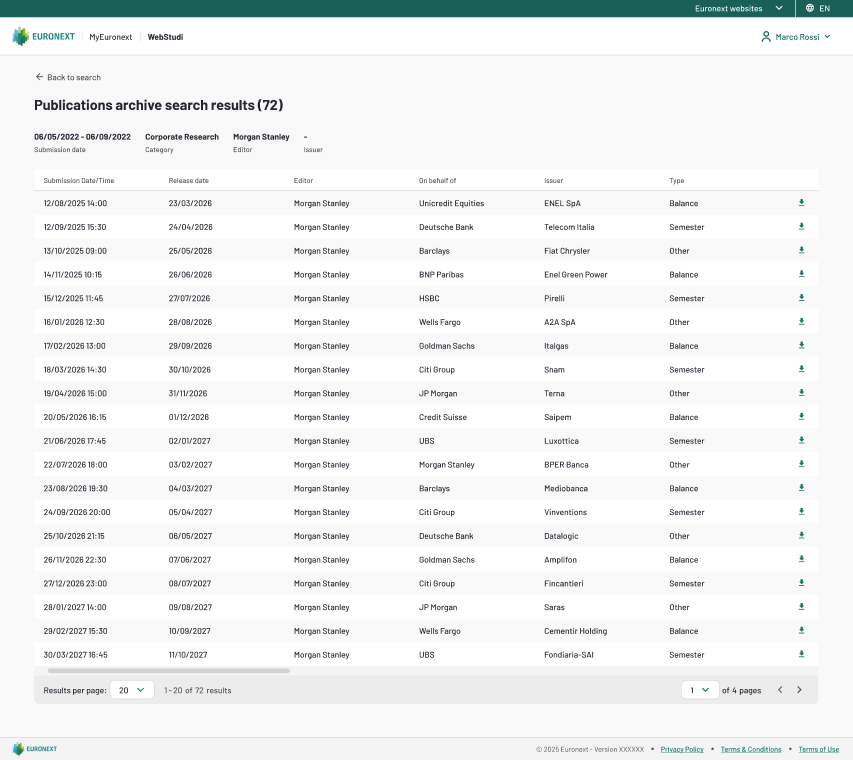
Corporate Research Results
Column | Description |
|---|---|
Submission Date/Time | When the publication was originally submitted |
Release Date | When the publication was released |
Editor | Company that submitted it |
On behalf of | Company the publication was on behalf of (if applicable) |
Issuer | Company the research was about |
Type | Report classification (Semester, Annual, etc.) |
Download | Click to download the archived PDF |
Market Flash Notice Results
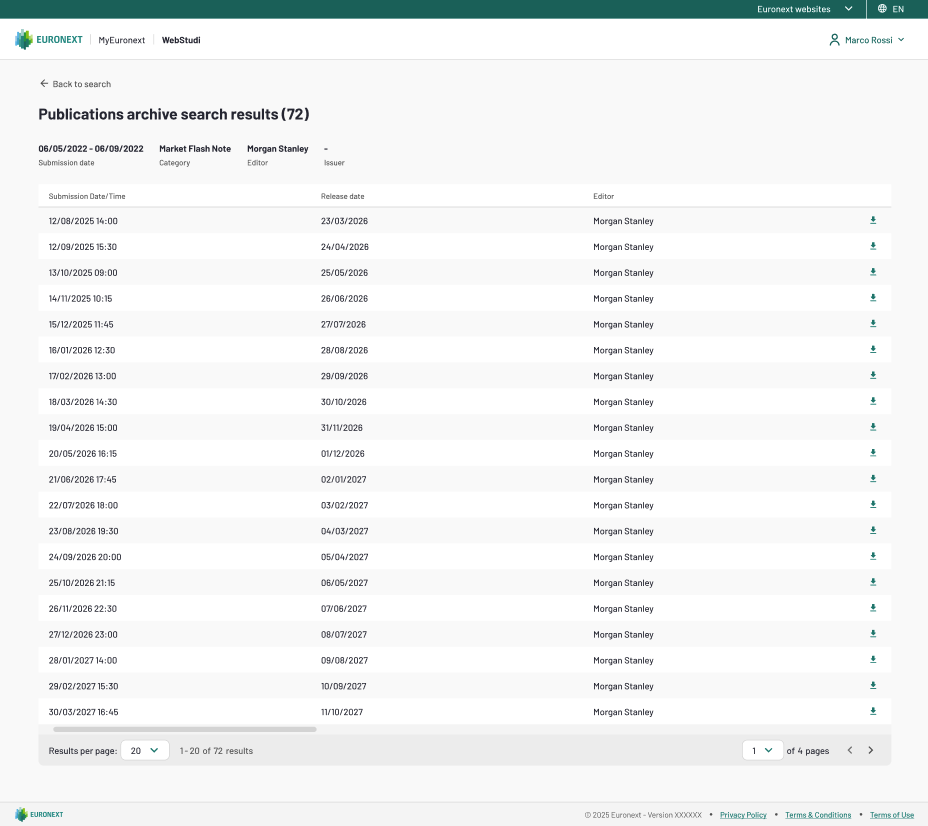
Column | Description |
|---|---|
Submission Date/Time | When the Market flash notice was submitted |
Release Date | When the Market flash notice was released |
Editor | Company that submitted it |
Download | Click to download the archived PDF |
Sector Research Results
Column | Description |
|---|---|
Submission Date | When the Research was submitted |
Release Date | When the Research was released |
Editor | Company that submitted it |
Sector | Market sector covered |
Download | Click to download the archived PDF |
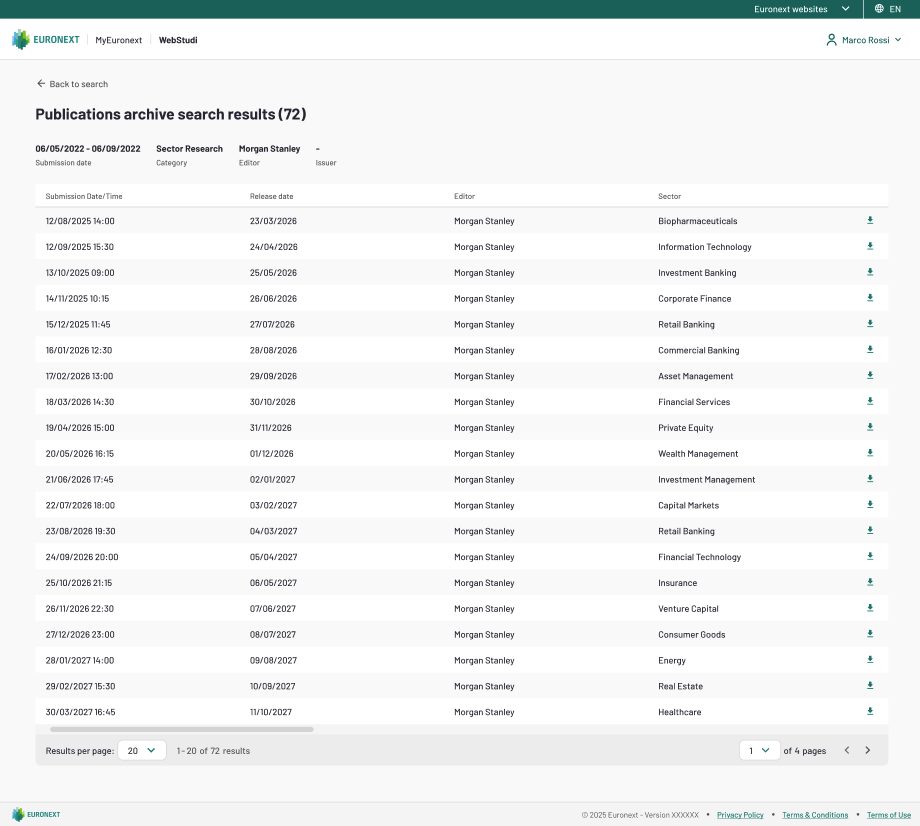
Download Archived Publications
Locate the publication in the results table and click the download icon in the rightmost column. The PDF is downloaded to your default download location.
Note: Archived publications are subject to the same perimeter restrictions as current publications. You can only download publications from your authorized operational perimeter.