
Fixed Income Admission - Project list
The first page in the Fixed Income Admission section shows current or possible listing projects:
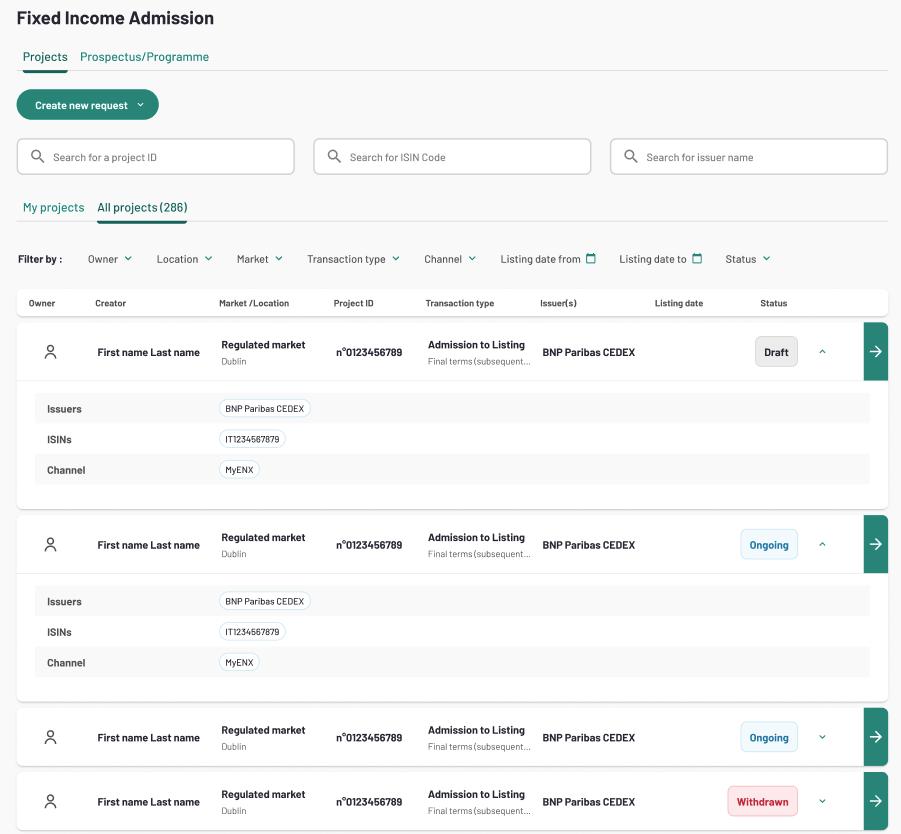
Under the “Projects” tab, you can see only the projects related to you.
- If you are an issuer you will see all the listing projects in the scope of your company (created by you or colleagues from your company)
- If you are a third-party agent (with an active delegation) you will see the listing projects in scope of the issuers that have provided a delegation to your company.
From this page, you can also search for a project using one of the search bars:
- By Project number
- By ISIN code
- By Issuer name
Or filter the project list using one of the available filters:
- Owner
- Location
- Market
- Transaction type
- Channel
- Listing Date range (from - to)
- Status (Status of the project)
Please note that all the projects displayed on the list are related to your market location. You can check the details of the market location on company settings, under your user role tab:

To create a new listing project, click the “Create a new project” button on the “Projects” tab.
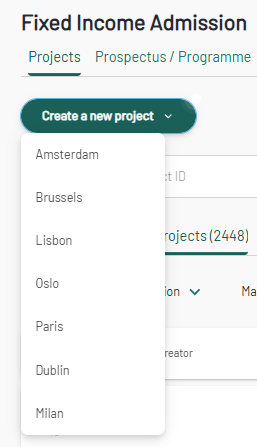
Choose the Market you intend to list on. A project creation form will appear.