Archive and export
Ordinary Dividend & CA No Action archive
- The CA No Action archive is a dedicated, read-only, paginated view separate from the main Special CA queue; it can be searched by Company name and filtered by date range.
- The Ordinary Dividend tab is a read-only, paginated and sortable table that can be searched by Company name and filtered by Action type (dividend sub-type), Effective date and Record date; it shows a last-update indicator with manual refresh.
🖼️ Screenshot placeholder — CA No Action / Ordinary Dividend archive view.
Deleting and archiving records
- A record can be deleted via a confirmation modal that requires a mandatory reason; it is soft-deleted and removed from the active view (not physically destroyed).
- A dedicated Archive view lists Deleted and Auto-archived records, filterable, with the LPOI scope restriction applied the same way as the main list.
- Records are automatically archived 90 days after becoming Rejected or Deleted — no manual action required.
🖼️ Screenshot placeholder — delete confirmation modal with the mandatory reason field. 🖼️ Screenshot placeholder — Archive view listing deleted / auto-archived records.
Exporting data
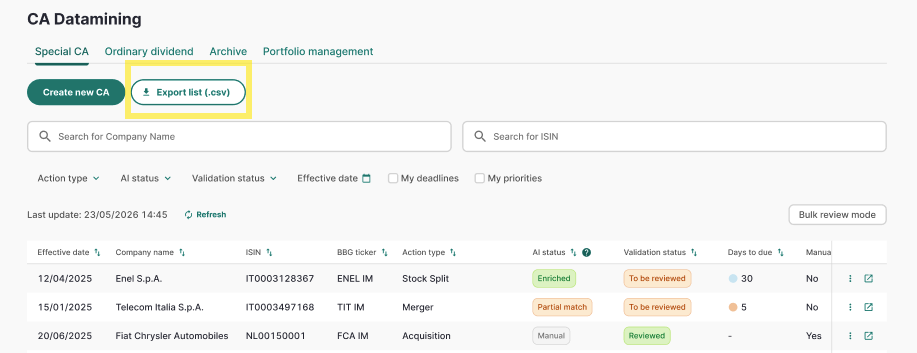
- On the Unified Alert Page, click Export (shown only when at least one record is visible and you are authorised to export).
- Choose CSV or XLSX from the format selector and confirm.
- The download starts within a few seconds. The exported file mirrors exactly the records currently visible — active filters, sort order and role scope (e.g. an LPOI Analyst only exports GEM-scope records) are all applied.
- The filename follows the convention
Export_CA_YYYYMMDD_HHMM.