
MiFID Short Code Hub - List of Companies
From the main page, in the Companies tab, you will only be able to view the list of companies you belong to, as defined by member domain grants in Company Settings.
For each company the following details are displayed:
- Company name
- LEI Code
- Market
- Segment
A search functionality will enable users to locate specific companies by entering either the company name or the LEI code. As users begin typing in the search bar, the list of companies will update automatically to reflect the search criteria.
You can also refine you search by using "Market" and "Segment" dedicated filters.
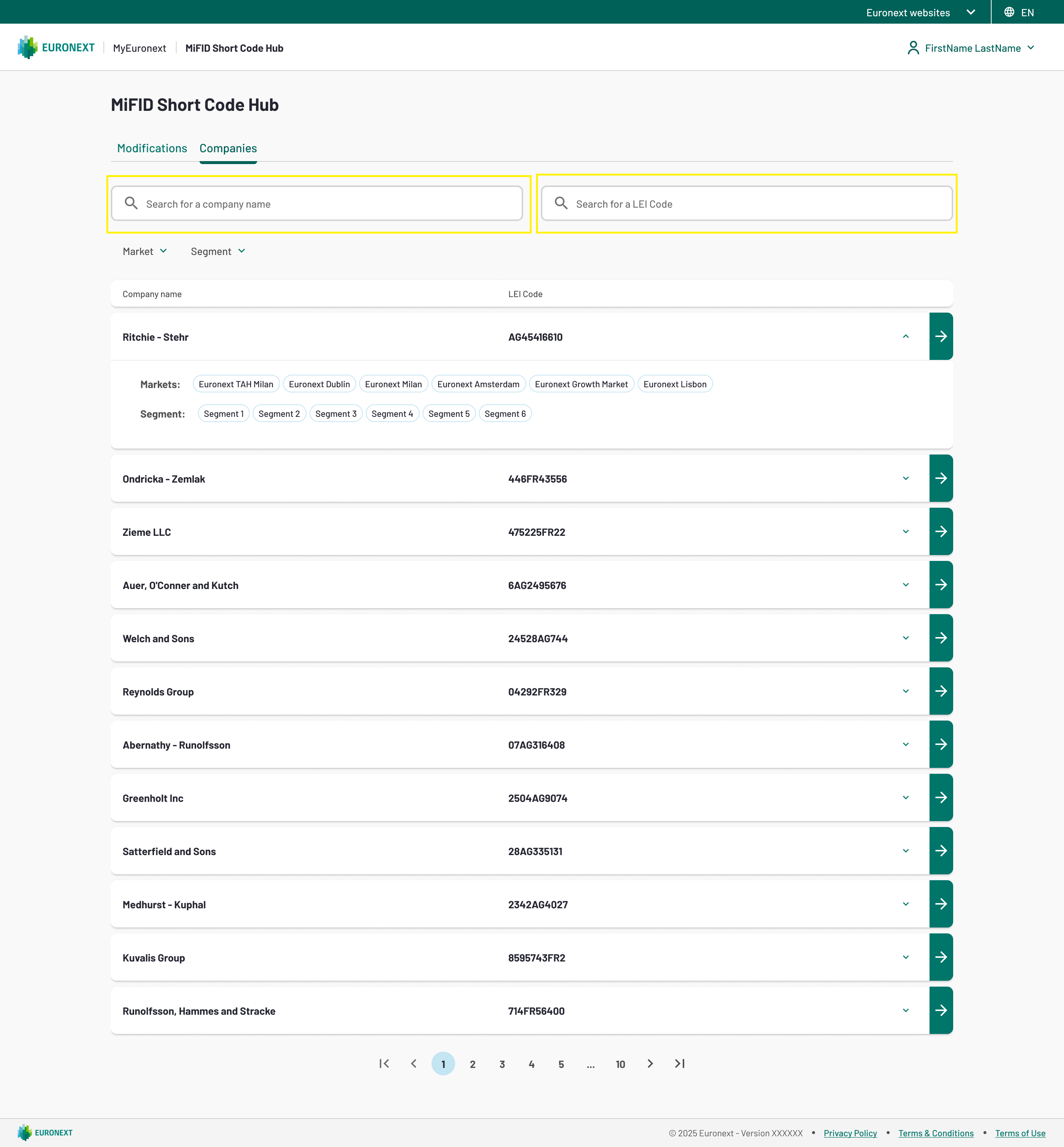
1. List of Companies tab
By selecting a company, users will be directed to the Short Codes detailed page displaying:
- All contacts with the user role “Responsible Person”;
- All short codes currently associated with each responsible person;
- For each short code: the associated FirmIDs, markets, and segments.
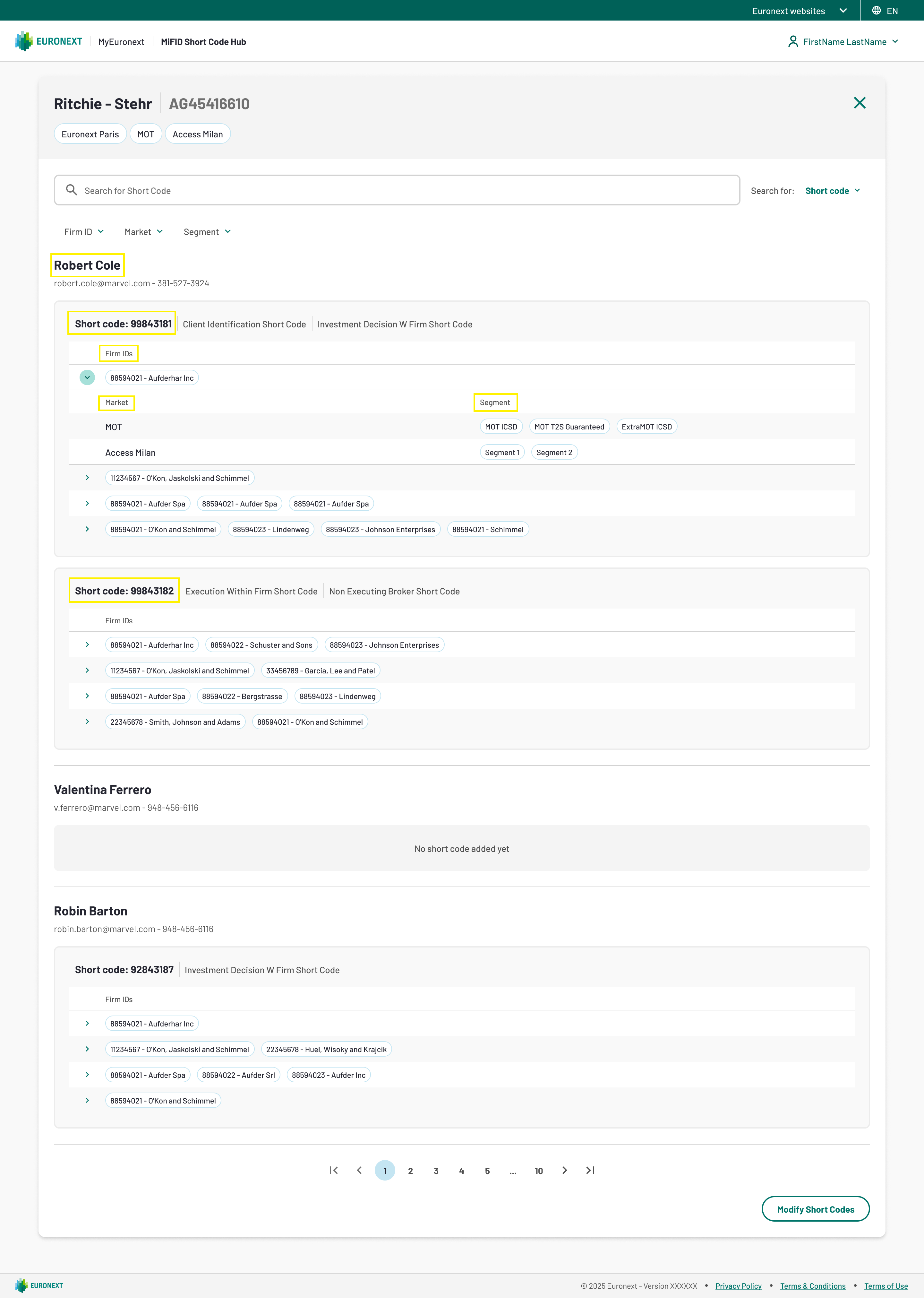
2. Short codes list
From this page, users can further refine their search by Short Code or Contact using the dedicated search bar. The search subject can be changed by selecting an option from the menu next to the search bar.
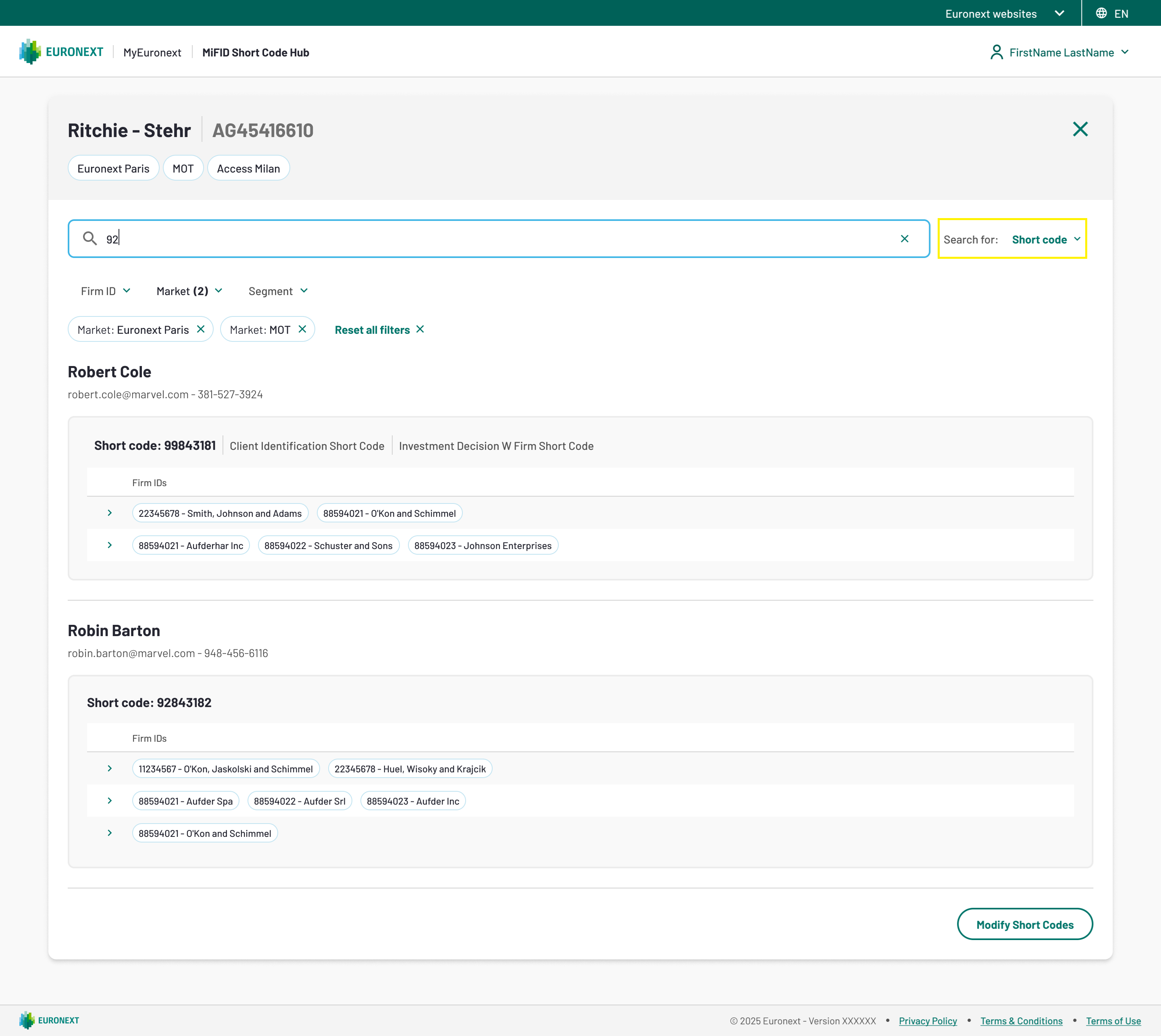
3. Short codes list - search