Initial Coverage Modules
What Is an Initial Coverage Module?
An Initial Coverage Module is the official documentation that formalizes the start of a new specialist-issuer relationship. It consists of:
- A formal declaration from the intermediary
- Attachment of evidence PDF (relationship documentation)
- A defined relationship start date
Access Initial Coverage Modules
From the main menu, click Initial Coverage Modules.
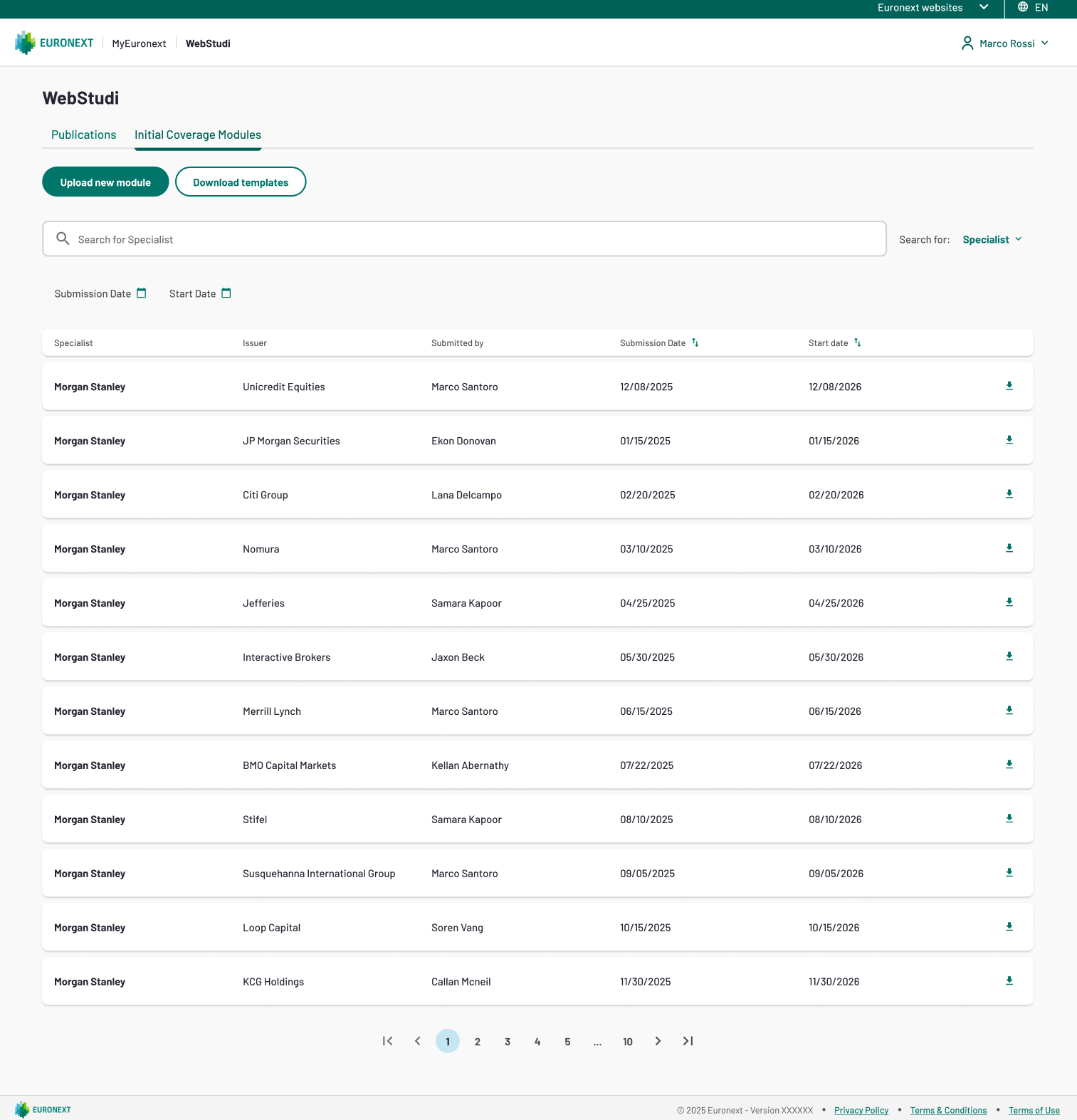
As a Standard or Specialist intermediaries you will see modules from your ocmpany only.
Browse Existing Modules
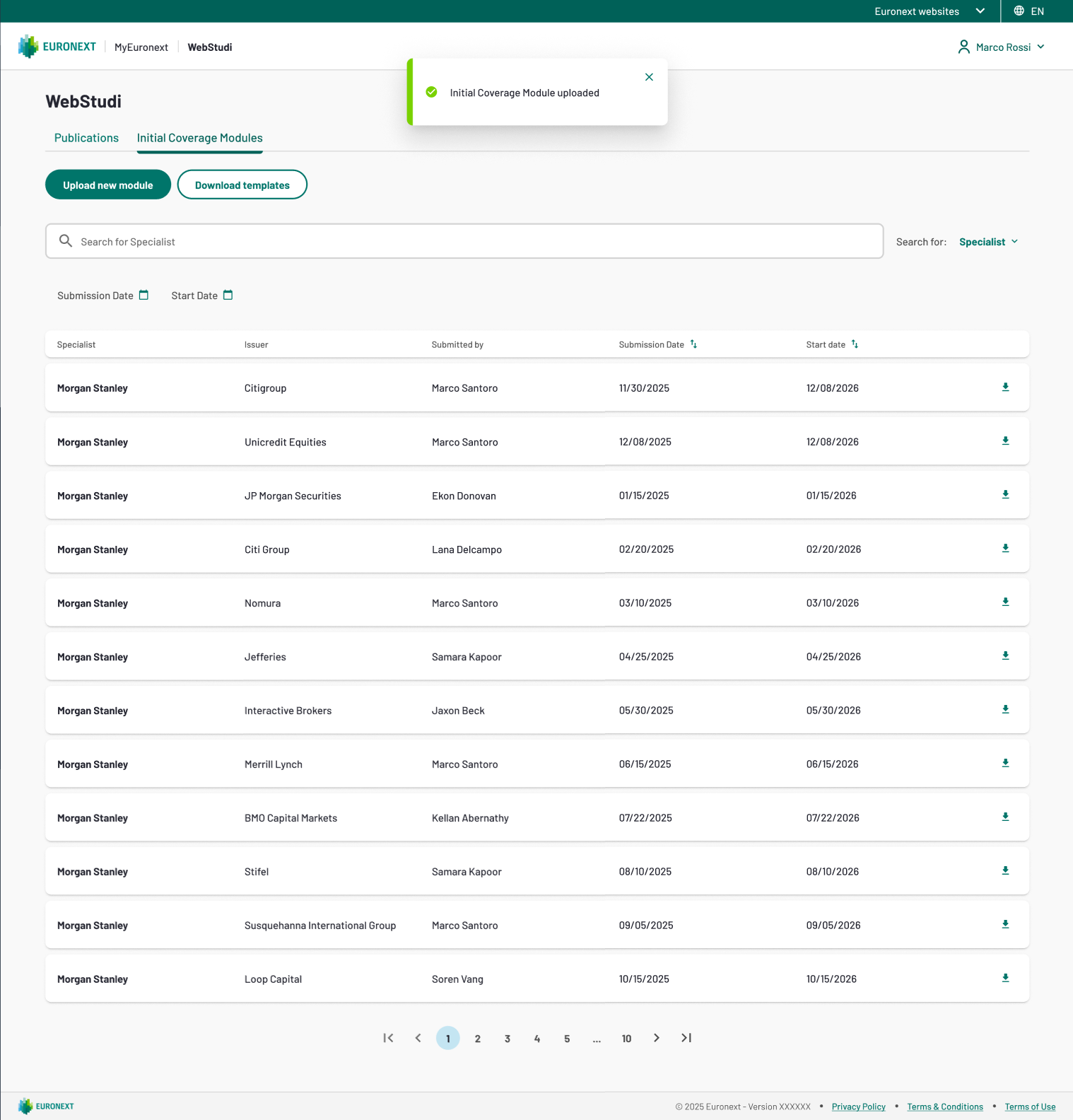
The Initial Coverage Modules list displays submitted modules with these columns:
Column | Description |
|---|---|
Specialist | The intermediary firm starting the relationship |
Issuer | The company the intermediary is becoming specialist for |
Submitted By | The user who uploaded the module |
Submission Date | Date the module was officially recorded |
Start Date | Date the specialist relationship becomes effective |
Download | Click to download the module PDF |
Filter the List
Use the search and filter controls:
- Search by Specialist (3+ characters) – Find modules by the specialist company name
- Search by Issuer (3+ characters) – Find modules by the issuer company name
- Submission Date range – Show modules submitted within a date range
- Start Date range – Show modules with relationship start dates in a date range
Download a Module
Locate the module in the list and click the Download icon in the rightmost column to download PDF file.
Attention: If a module PDF is no longer available (e.g. it has been deleted), clicking Download will show: "Document no longer available. Please contact support."
Create a New Initial Coverage Module
Click the "Create new module" button at the top of the page.
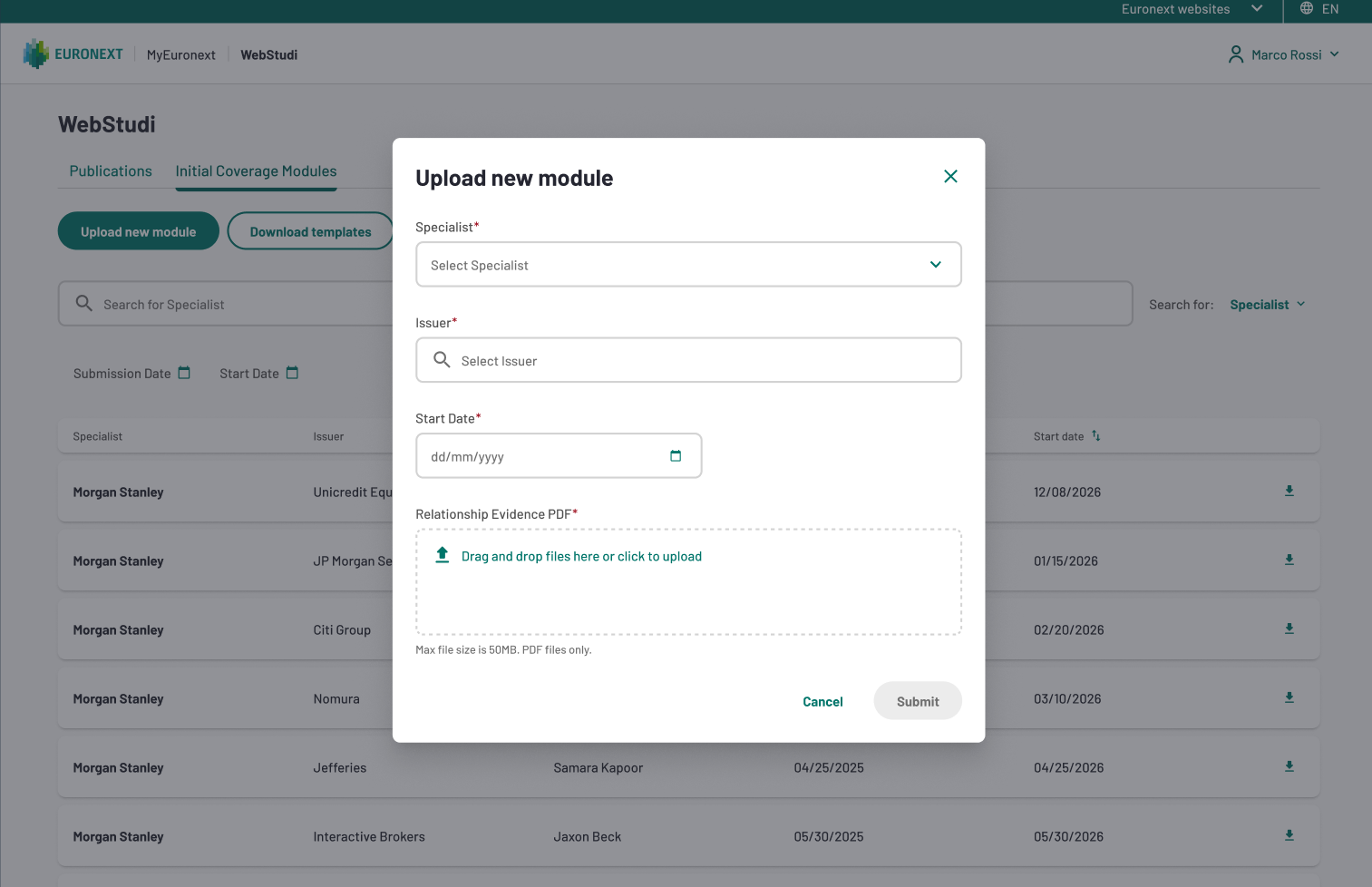
A modal form appears with these fields:
- Specialist (Required) – If you are linked to a single company, this field is pre-filled automatically. If you are linked to multiple companies, select the one acting as the specialist. Administrators can search across all WebStudi subscribers by typing 3+ characters.
- Issuer (Required) – Click the search field and type the issuer company name (3+ characters minimum). Only issuers validated for MTA or EGM markets are available. If you do not see the expected issuer, confirm it is registered in the market referential.
- Relationship Start Date (Required) – Click the date picker and select the effective date for this specialist relationship. The date can be today or in the future; once the date arrives, the relationship becomes active.
- Relationship Evidence PDF (Required) – Click "Choose file" and upload the PDF containing the relationship documentation (maximum 50 MB). Common documents include a service agreement, a regulatory approval letter, or a formal assignment notice.
Submit the Module
Verify all fields are complete and click "Submit". Upon success, the module is recorded in the Initial Coverage Modules list, an email notification is sent to your WebStudi administrator, and the module PDF is archived and available for download.