
SecDer Admission - API Service
The Listing of Securitised Derivatives API service is designed to enable machine to machine listings without the need to enter the MyEuronext platform by a physical user account.
The API credentials (client ID, client secret and client secret expiry date) can be generated through MyEuronext Company Settings (In the first version of this service, the credentials will be generated by Euronext and communicated to the client via email).
Listing of Securitised Derivatives API access method authenticates users through the use of the API client ID and client secret. The client will request an access token through an Authentication API, by providing their client ID and secret.
On receiving the API access token, clients can utilize APIs to create and manage their listing projects and instrument information.
The service remains available 24 hours daily, on all business days.
Prerequisites - Terms & Conditions
Customers wishing to utilize the MyEuronext Securitised Derivatives API Service, must have agreed the MyEuronext website Terms and Conditions (T&Cs). Customer must declare two Company User Administrators, who will be configured by Euronext in the MyEuronext Company Settings application.
When T&Cs are signed, and Company User Administrator accounts are created, technical accounts can be set through MyEuronext Company Settings by the Company User administrators of the Legal Entity.
As a Company User Administrator, login to MyEuronext.
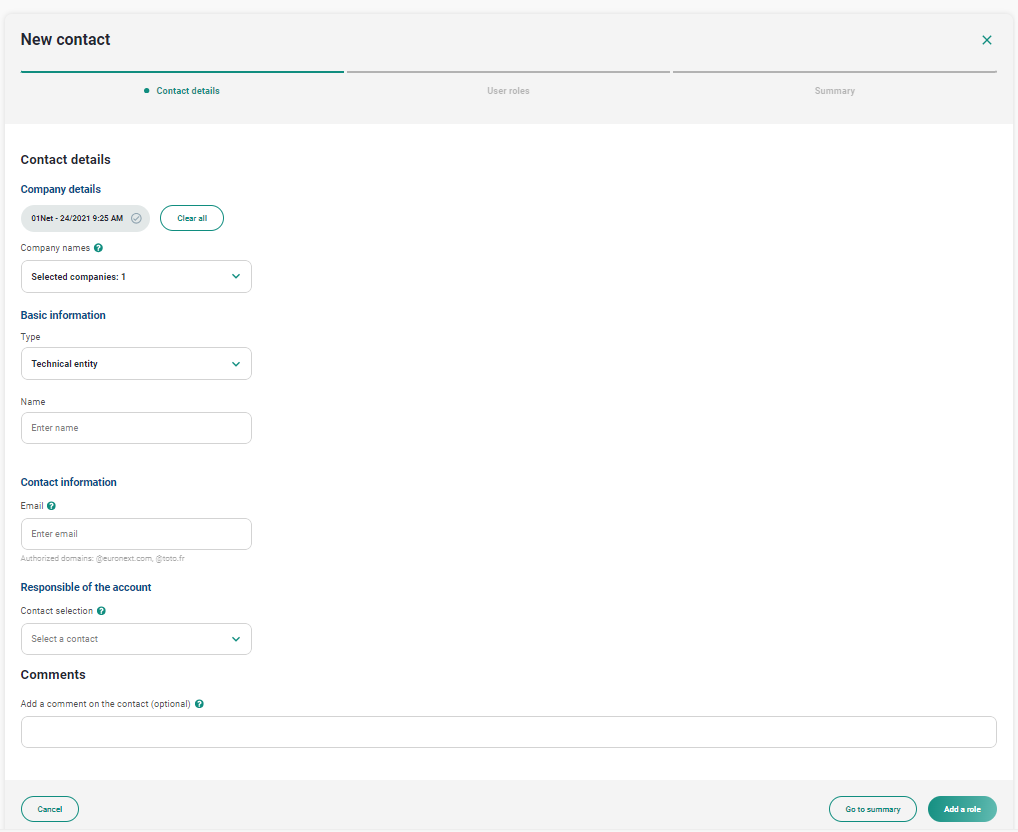
You will see the Company Settings application. Follow the contact creation steps mentioned in the Administrator guide and create a “Technical entity”.
As a user role, choose “Listing Automated API service”, then set the perimeter to:
- Asset class: Securitised derivatives
- Market: Milan
You will be able to access an API service that allows you to generate API credentials.
These credentials can only be generated once the user role is created and will give you access to a “client ID” and a “client secret”.
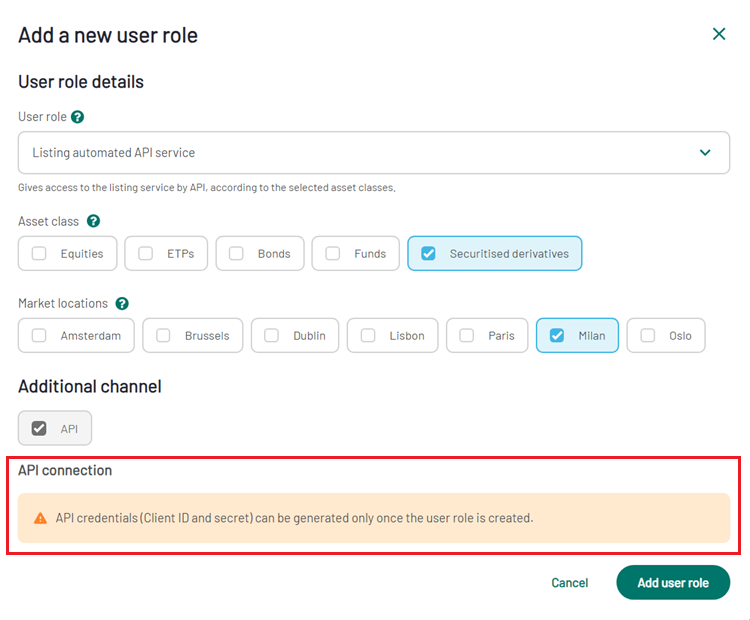
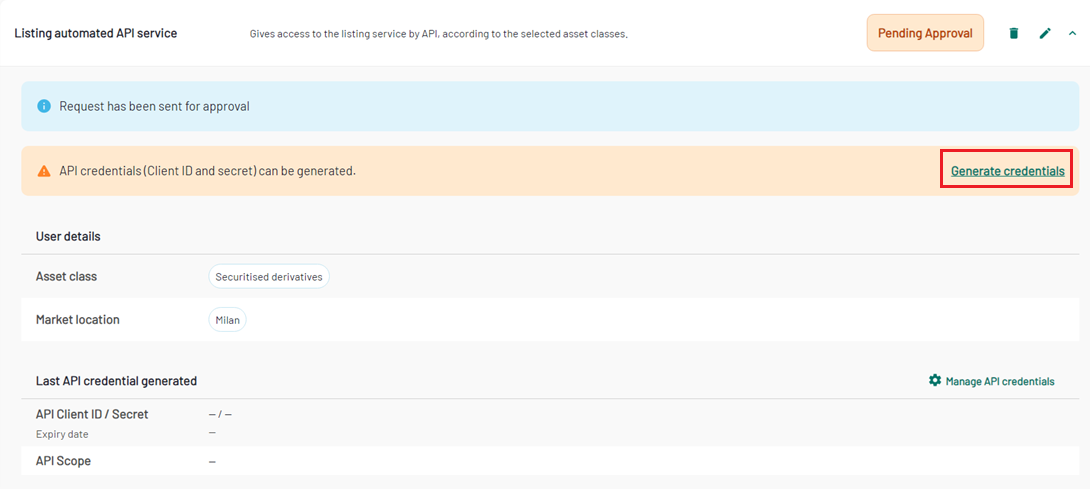
As soon as you click on “add user role”, you will be able to generate the credentials by clicking on “generate credentials”.
In the API connection section, click on “Generate credentials”.
A pop-up appears to enable you to generate these credentials:
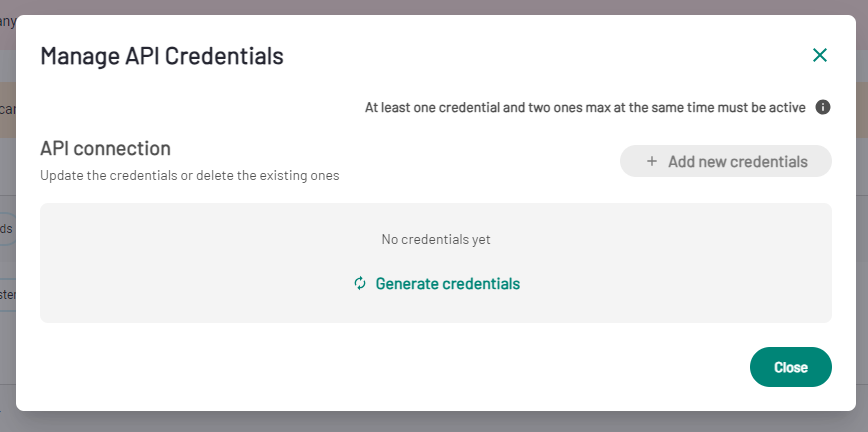
The credentials are then created. They will be valid for 90 days. Please make sure to copy the client Secret straight away as it shows only once at the creation step. In case of loss of the credentials, you can generate new ones by clicking on “Add new credentials”.
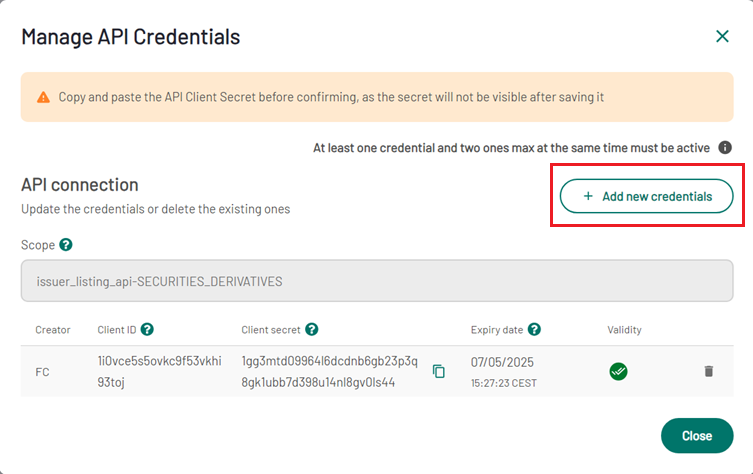
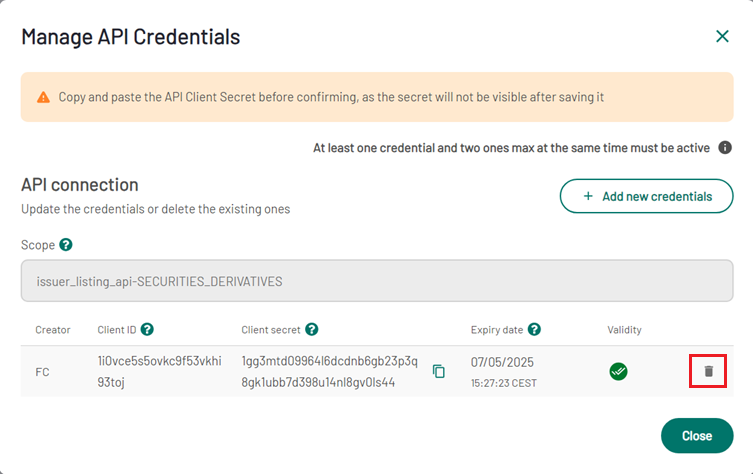
In case the credentials are corrupted, you will need to first generate new ones by clicking on “Add new credentials” and delete the existing credentials by clicking on the dustbin.
As soon as the credentials are generated, the API service can be used by the technical account.
For future updates of the role:
- Updates of the perimeter of the role (asset classes and Market locations) will always be subject to Euronext approval.
- Updates of API attributes can be done autonomously by the Company User administrator. The old attributes can be used until their expiry date, or until the new ones are used.
Using the Structured Debt Listing API
Prerequisite
Prior to creating a listing project, the Programmes must be communicated to Euronext to have their IDs checked.
API Endpoint
EUA: https://dap-api.euatnr.euronext.cloud/euatnr/securitized-derivatives-admission
PROD: https://dap-api.prodnr.euronext.cloud/prodnr/securitized-derivatives-admission
Authentication API

In order to get the Access Token, the POST /oauth2/token API must be invoked.
The following parameters are needed:
- Grant_type: must be the string “client_credentials”
- Client_id: The active Client ID generated in Company Settings
- Scope: The scope generated in Company Settings
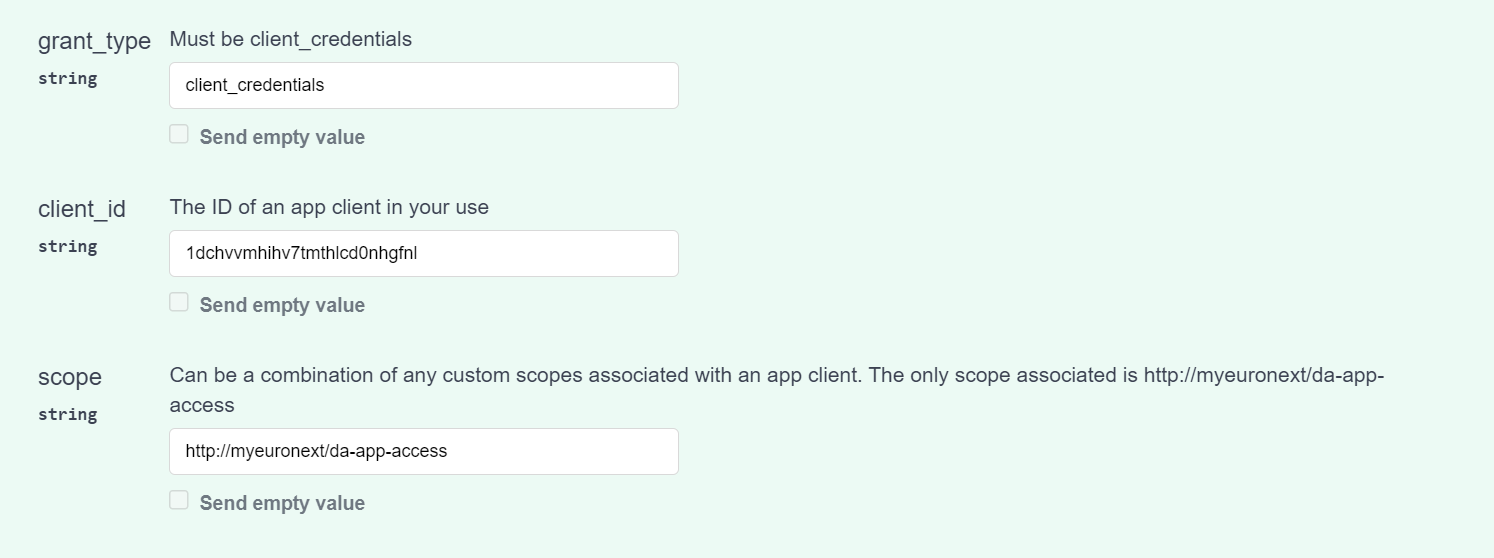
Once the parameters are fill, you can call the API.
You can get two types of responses:
- Code 200 (Get Access Token) will return an access token with a type and an expiry date
- Code 400 (Bad request error) will return an error code
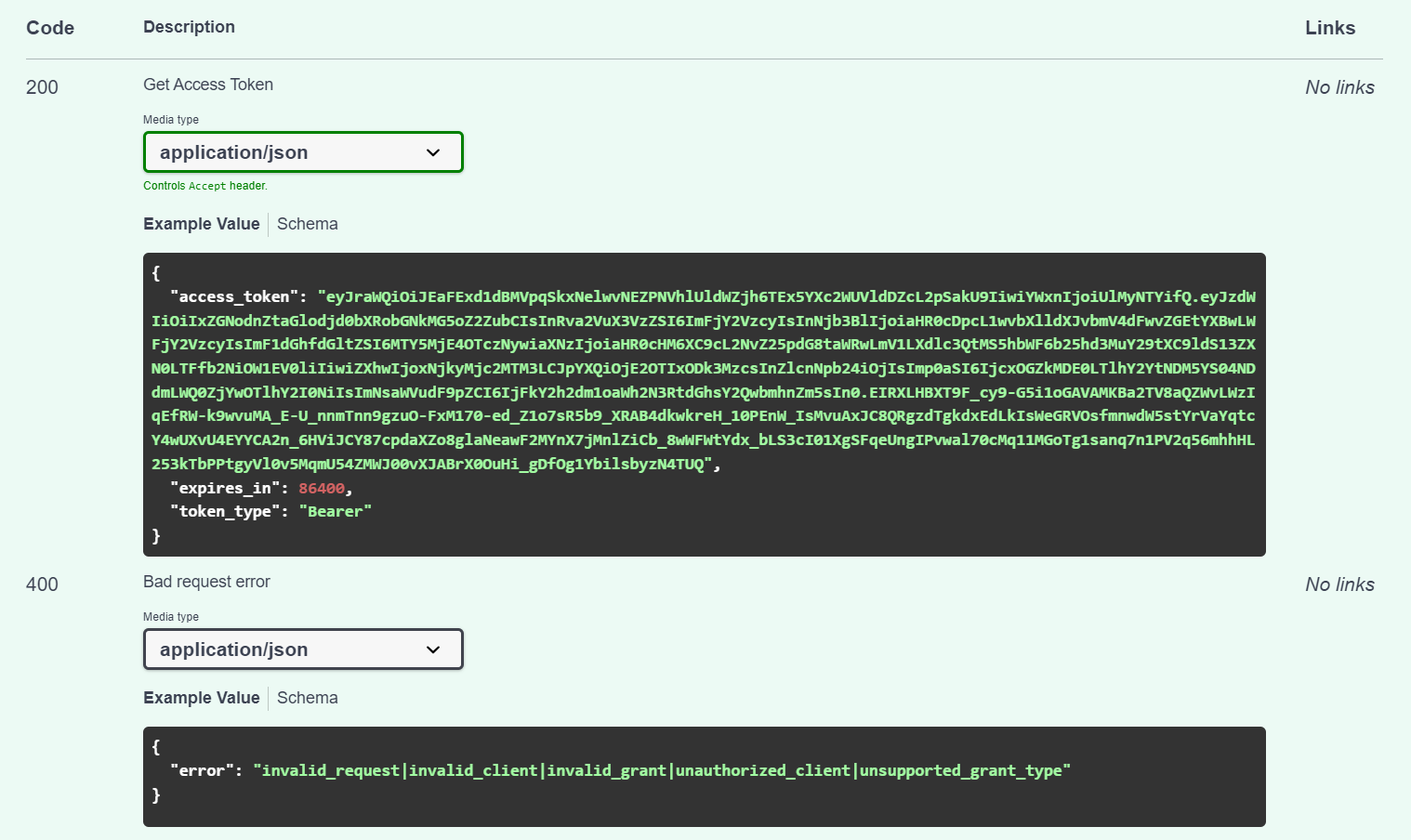
The returned Access Token will be used in the next two APIs.
Project Creation
"Create a Project" - API - Retrieve Project Set-up Taxonomies

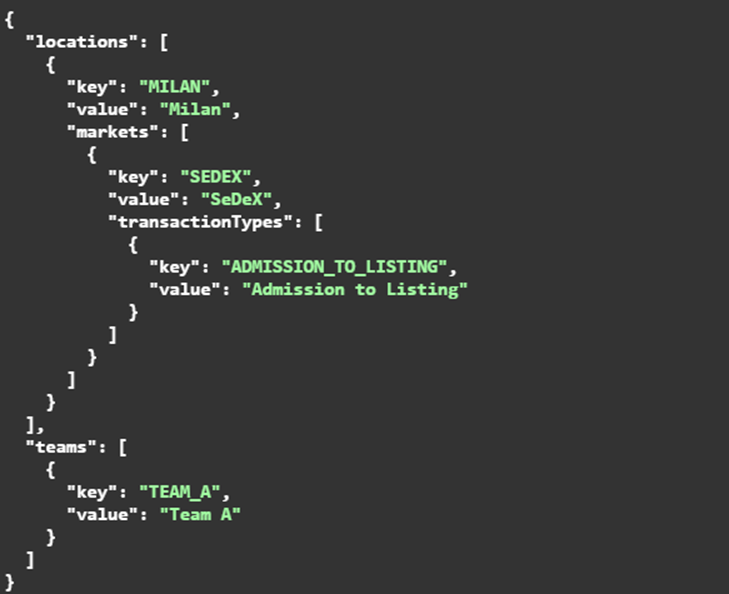
The GET /securitized-derivatives-admission/public/v1/user/taxonomies/project lets retrieve the taxonomies to complete the project.
Responses can be:
- Code 200 (Taxonomies retrieved)
- Code 401 (Access token is missing or invalid)
- Code 403 (User cannot execute this api)
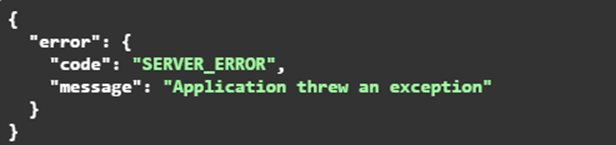
- Code 500 (Application error)
"Create a Project" - API - Create a Project with status DRAFT or COMPLETE

The POST /securitized-derivatives-admission/public/v1/projects API lets you create a new project.
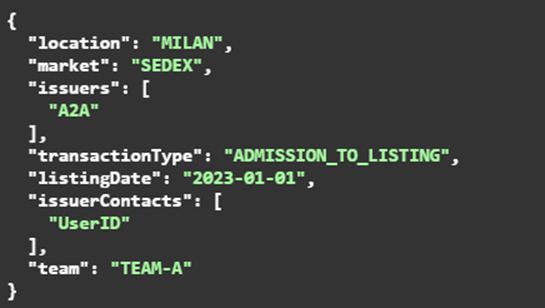
The parameters of this API are the following:
- Action:
- DRAFT: The project will be created and saved as a draft, not submitted
- COMPLETE: The project creation will be submitted and Instrument information can be instructed
- Request body: the body must contain the following attributes:
- location
- market
- issuers
- transactionType
- listingDate
- issuerContacts
- team
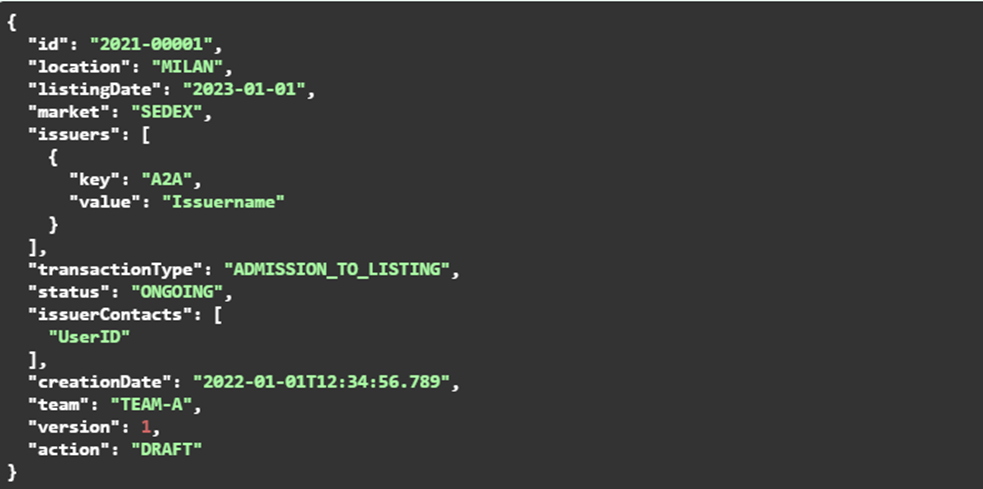
- Responses can be:
- Code 200 (Project Created):
- Code 400 (Validation errors)
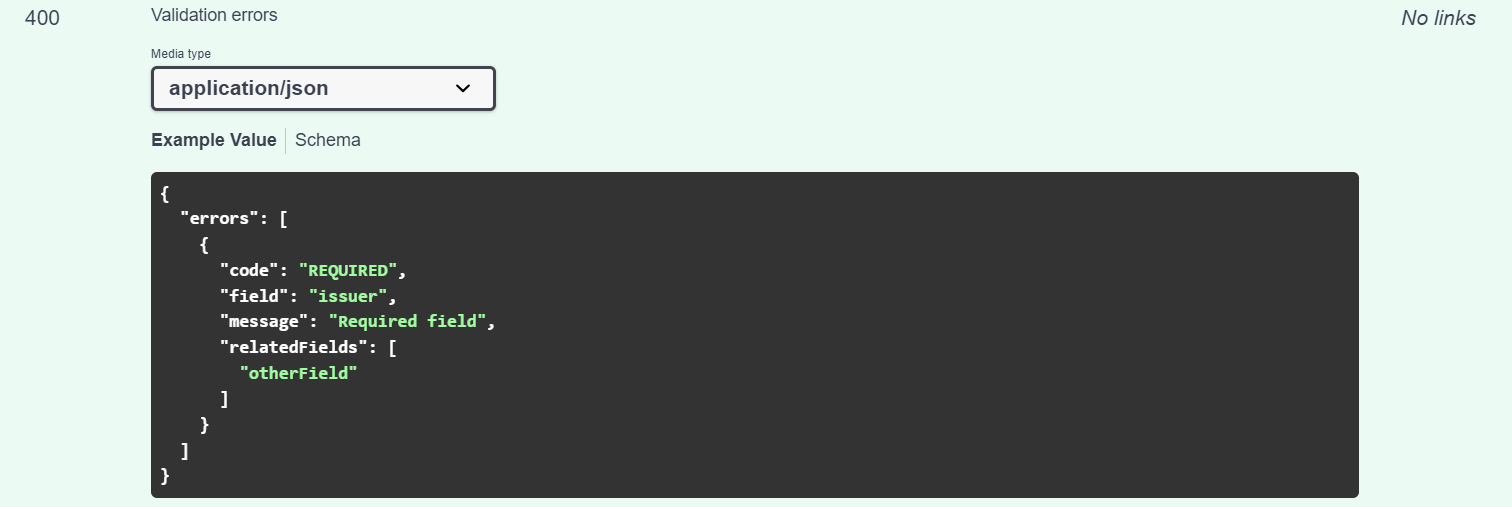
- Code 401 (Access Token missing or invalid)
- Code 403 (User cannot execute this API)
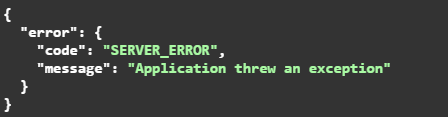
- Code 500 (Application error)
Retrieve a Project using the Project ID

The GET /securitized-derivatives-admission/public/v1/projects/{projectId} API lets you retrieve the project data.
The parameters of this API are the following:
- ProjectId
Responses can be:
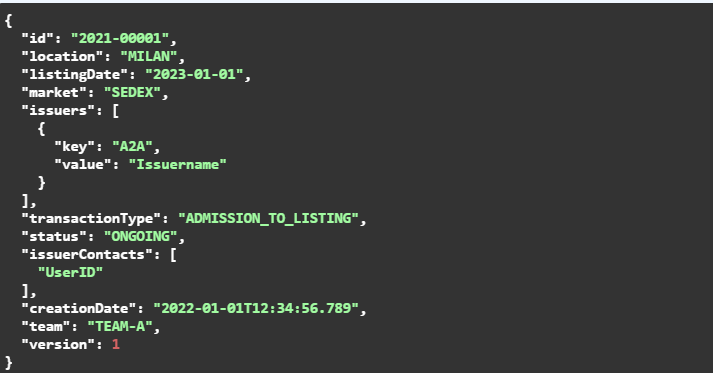
- Code 200 (Get project)
- Code 401 (Access token is missing or invalid)
- Code 403 (User cannot execute this API)
- Code 404 (ProjectId not found)
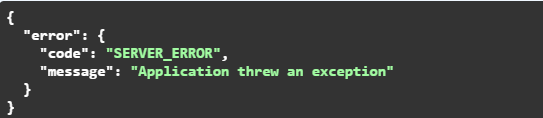
- Code 500 (Application error)
Update a Project already created as Draft

The PUT /securitized-derivatives-admission/public/v1/projects/{projectId} API lets you update your project in drafts status.
The parameters of this API are the following:
- ProjectId: The ID generated in the first creation request
Action:
- DRAFT: The project will be created and saved as a draft, not submitted to Euronext
- COMPLETE: The project creation will be submitted, and Instrument information can be instructed
Request body - the body must contain the following attributes:
- location
- market: This field should be completed with the MIC code
- issuers: Company ID – please check the list of possible Company IDs available at the end of this document.
- transactionType
- listingDate: Desired listing date
- issuer Contacts
- team: Optional field to segregate the listing project visibility
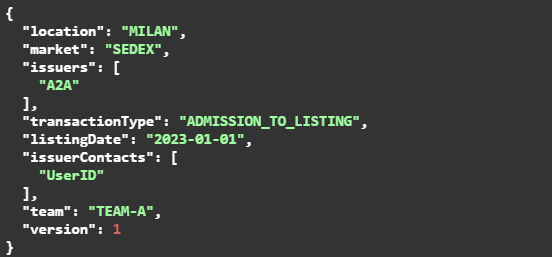
Responses can be:
- Code 200 (Project Created)
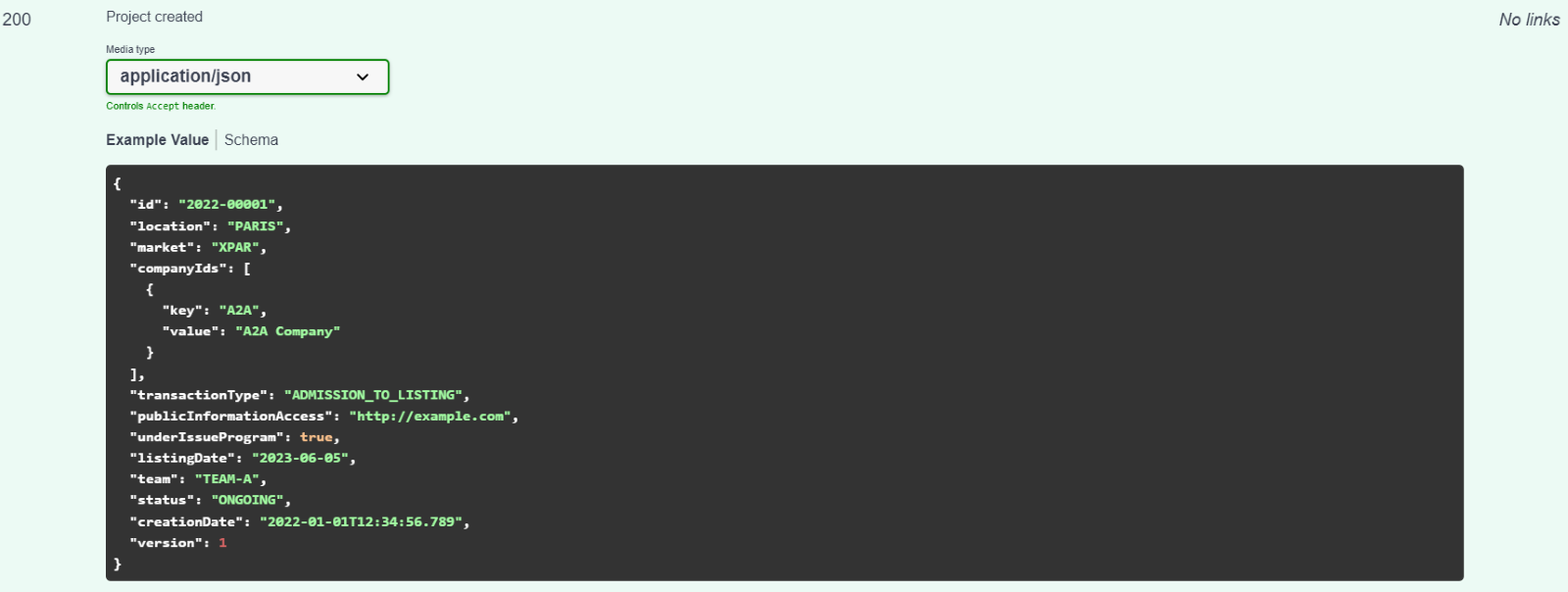
- Code 400 (Validation errors)
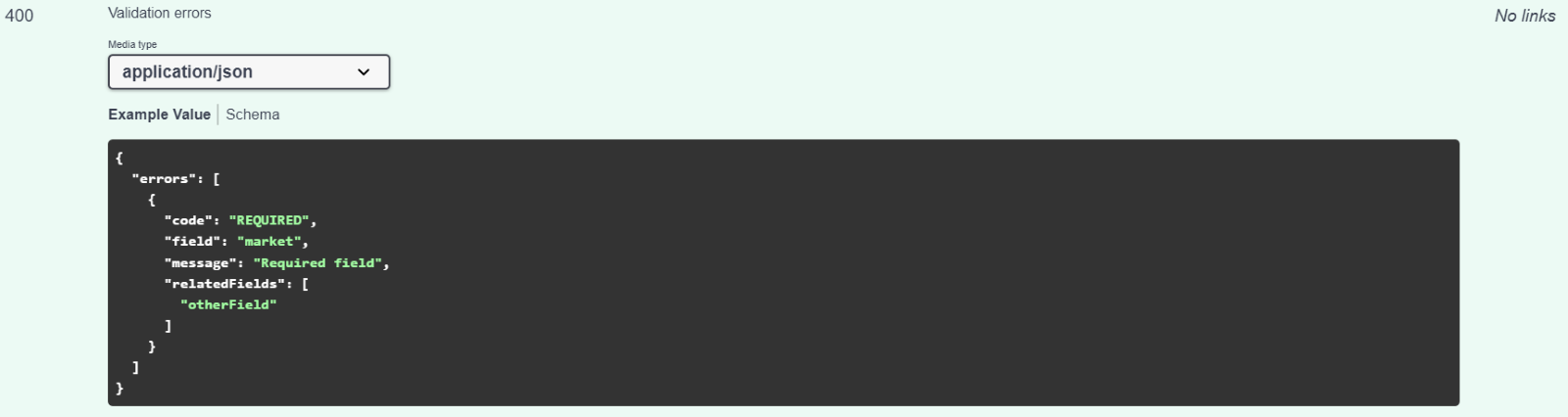
- Code 401 (Access Token missing or invalid)
- Code 403 (User cannot execute this API)
- Code 404 (Project ID not found)
- Code 500 (Application error)

"Instrument Information" API
Once the project is created, you can specify the Instrument Information.
Validate and Save Instrument Information

The POST /securitized-derivatives-admission/public/v1/projects/{projectId}/csv/instrument-information API lets you validate CSV, save instrument information data and close the task (send to Euronext) if Action is Complete.
The parameters of this API are the following:
- ProjectId
- instrumentInfoFile (binary)
Action:
- DRAFT: The instrument information will be saved as a draft, not submitted
- COMPLETE: The instrument information will be submitted to Euronext
Responses can be:
- Code 200 (Instrument information is valid)
- Code 401 (Access token is missing or invalid)
- Code 403 (User cannot execute this API)
- Code 404 (ProjectId not found)
- Code 410 (Task does not exists)
- Code 422 (Validation errors)
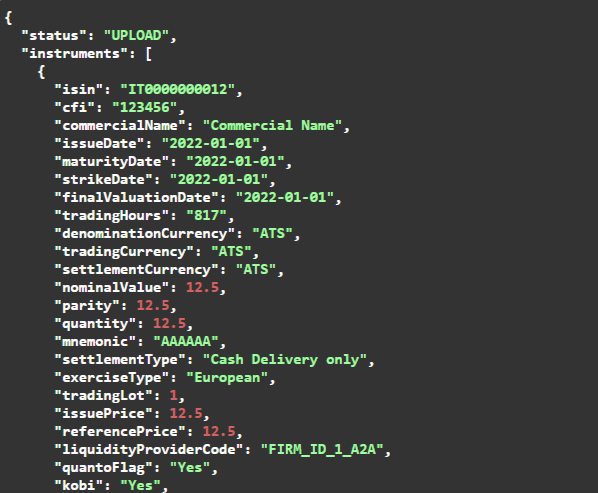
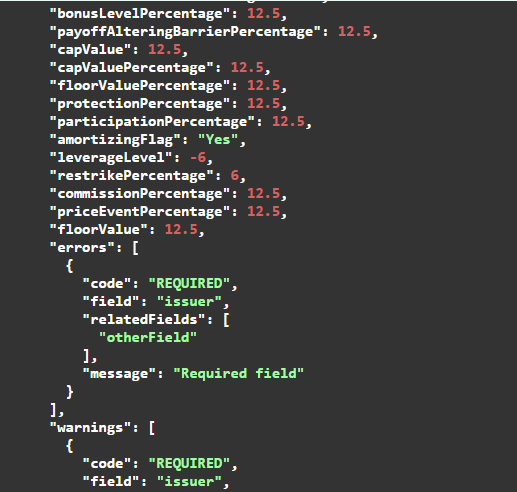
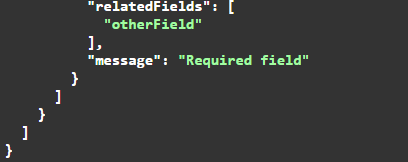
- Code 498 (When the ISINs are not the same of current project and they are already submitted)
- Code 500 (Application error)
Validate and Save the data and close the task

The POST /securitized-derivatives-admission/public/v1/projects/{projectId}/instrument-information API lets you validate and save instrument information data and close the task (send to Euronext).
The parameters of this API are the following:
- ProjectId
Request body: the body must contain the following attributes:
- isin
- cfi
- commercialName
- issueDate
- maturityDate
- strikeDate
- finalValuationDate
- tradingHours
- denominationCurrency
- tradingCurrency
- settlementCurrency
- nominalValue
- parity
- quantity
- mnemonic
- settlementType
- exerciseType
- tradingLot
- issuePrice
- referencePrice
- liquidityProviderCode
- quantoFlag
- kobi
- kibi
- takoDays
- rfeParameter
- settlementSystem
- euronextSecurityServicesMilan
- mRelevant
- placeSafekeeping
- underlyingName
- underlyingIsin
- underlyingReutersCodes
- underlyingBloombergCodes
- targetMarket
- distributionType
- esgRelevant
- documentationType
- kidLink
- documentLink
- prospectusCode
- initialLevel
- strikePrice
- upperThreshold
- lowerThreshold
- barrierCapitalObservation
- barrierCapitalPercentage
- barrierCouponPercentage
- barrierAutocallObservation
- barrierAutocallPercentage
- bonusLevelPercentage
- payoffAlteringBarrierPercentage
- capValue
- capValuePercentage
- floorValuePercentage
- protectionPercentage
- participationPercentage
- amortizingFlag
- leverageLevel
- restrikePercentage
- commissionPercentage
- priceEventPercentage
- floorValue
Responses can be:
- Code 200 (Instrument Information is valid)
- Code 401 (Access token is missing or invalid)
- Code 403 (User cannot execute this API)
- Code 404 (ProjectId not found) ù
- Code 410 (Task does not exists)
- Code 422 (Validation errors)
- Code 500 (Application error)
Coupon Plan
Coupon plan is not a mandatory step, anyway, if needed, this APIs must be submitted before the project is completed. The APIs allow the user to send coupon plan information to Euronext.
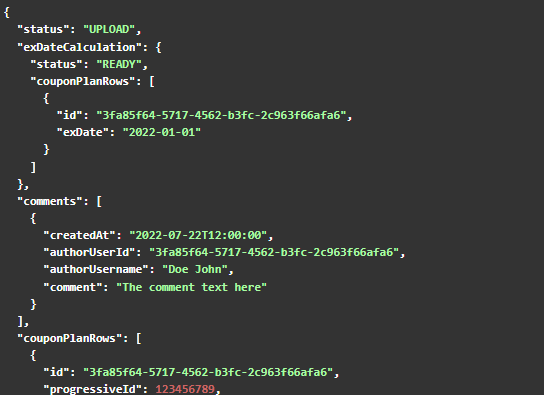
Validate cs file and calculate Ex-Date

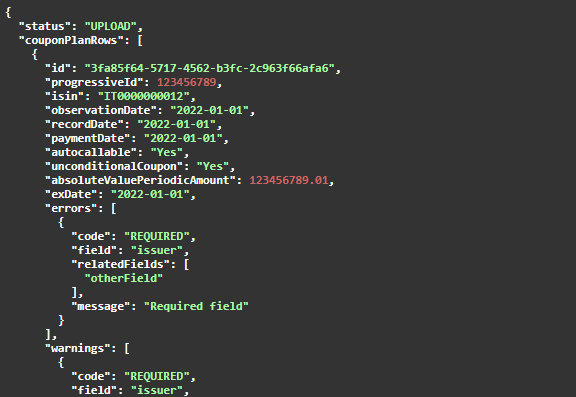
The POST /securitized-derivatives-admission/public/v1/projects/{projectId}/csv/coupon-plan API lets you validate CSV and calculate the ex-date.
The parameters of this API are the following:
- ProjectId
- CouponPlanFile
Responses can be:
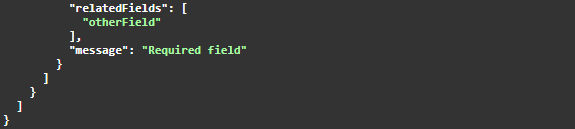
- Code 200 (Coupon plan with validation errors and warnings without version)
- Code 401 (Access token is missing or invalid)
- Code 403 (User cannot execute this API)
- Code 404 (Document not found)
- Code 410 (Task does not exists)
- Code 422 (Coupon plan with validation errors and warnings without version)
- Code 498 (When instrument information task is not completed)
- Code 500 (Application error)
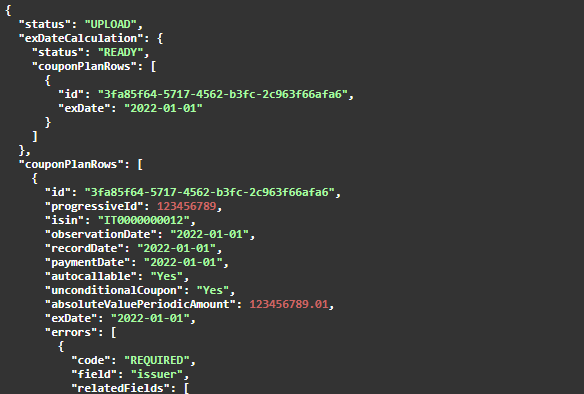
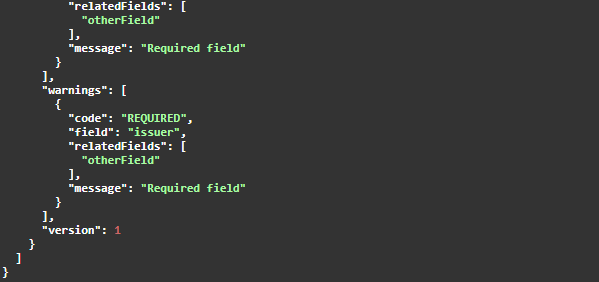
GET Coupon Plan data

The GET /securitized-derivatives-admission/public/v1/projects/{projectId}/coupon-plan API allows you to retrieve the coupon plan data.
The parameters of this API are the following:
- ProjectId
Responses can be:
- Code 200 (Coupon plan with validation errors and warnings and version)
- Code 401 (Access token is missing or invalid)
- Code 403 (User cannot execute this API)
- Code 404 (Document not found)
- Code 410 (Task does not exists)
- Code 422 (Coupon plan with validation errors and warnings without version)
- Code 498 (When instrument information task is not completed)
- Code 500 (Application error)
Save Coupon plan

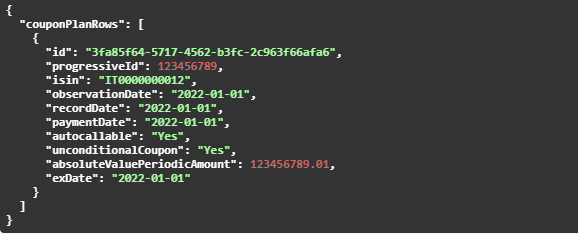
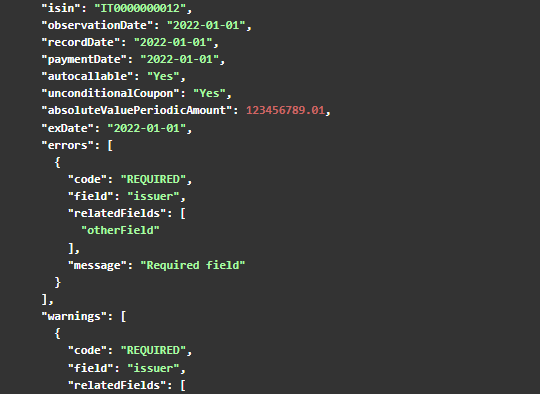
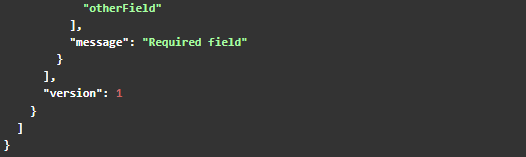
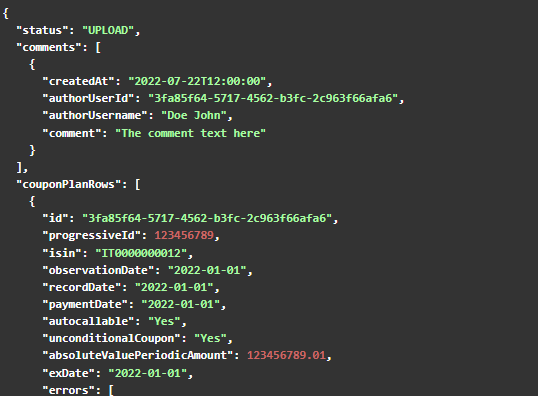
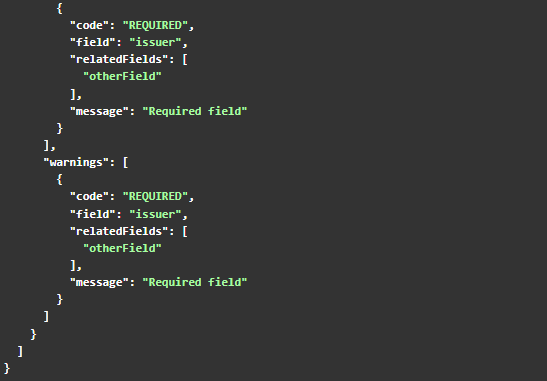
The POST /securitized-derivatives-admission/public/v1/projects/{projectId}/coupon-plan API allows you save the coupon plan.
The parameters of this API are the following:
- ProjectId
Request body:
Responses can be:
- Code 200 (Coupon plan with validation errors and warnings and version)
- Code 401 (Access token is missing or invalid)
- Code 403 (User cannot execute this API)
- Code 404 (Document not found)
- Code 410 (Task does not exists)
- Code 422 (Coupon plan with validation errors and warnings without version)
- Code 500 (Application error)
Issuer Documents
Issuer Documents Taxonomy

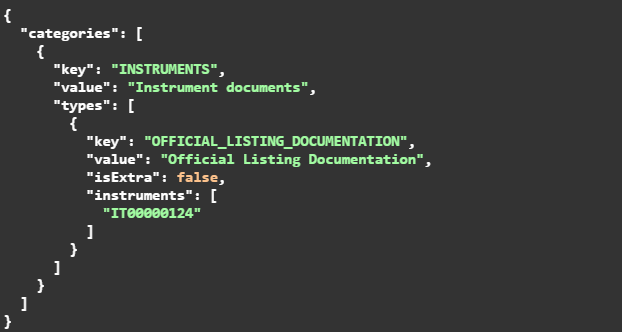
The GET /securitized-derivatives-admission/public/v1/projects/{projectId}/issuer-documents/taxonomies API lets you retrieves the taxonomies you need for the update of the issuer documents, with keys and values to use.
The parameters of this API are the following:
- ProjectId
Responses can be:
- Code 200 (Taxonomies retrieved)
- Code 401 (Access token is missing or invalid)
- Code 403 (User cannot execute this API)
- Code 404 (Project not found or in unavailable state)
- Code 410 (Task already closed)
- Code 500 (Application error)
Upload Issuer Document

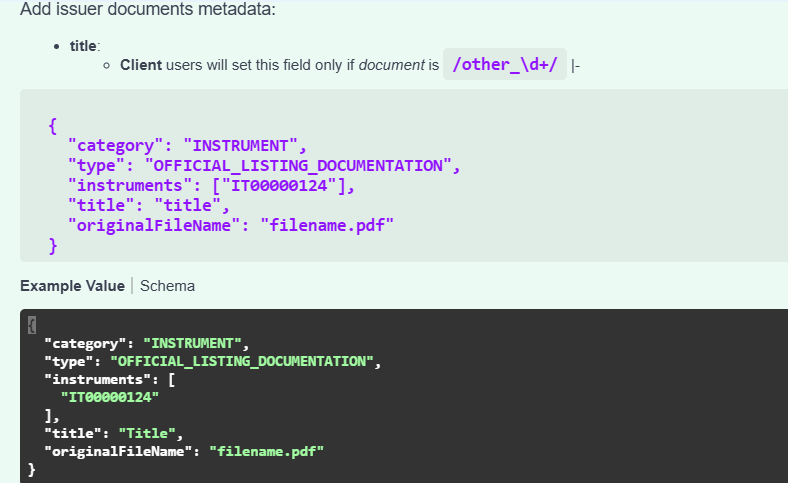
The POST /securitized-derivatives-admission/public/v1/projects/{projectId}/issuer-documents allows you to upload the issuer documents.
The parameters of this API are the following:
- ProjectId
Request body (containing the following attributes):
- category
- type
- instruments
- title
- originalFileName
Responses can be:
- Code 200 (File successfully update)

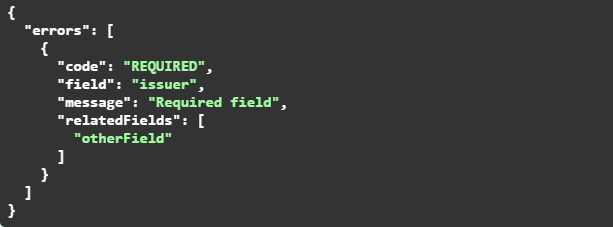
- Code 400 (Validation errors)
- Code 401 (Access token is missing or invalid)
- Code 403 (User cannot execute this API)
- Code 404 (Project not found or in unavailable state)
- Code 410 (Task already closed)
- Code 500 (Application error)
Download Issuer Document

The GET /securitized-derivatives-admission/public/v1/projects/{projectId}/issuer-documents/{documentId} lets you download the documents.
The parameters of this API are the following:
- ProjectId
- documentId
Responses can be:
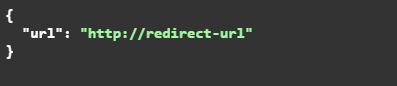
- Code 200 (Retrieve redirect URL)
- Code 401 (Access token is missing or invalid)
- Code 403 (User cannot execute this API)
- Code 404 (Document not found)
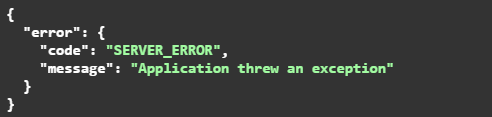
- Code 500 (Application error)
Presigned URL
A presigned URL in AWS is a temporary URL that allows you to access an object in an S3 bucket (or other AWS services like S3 Glacier or Amazon CloudFront) without the need of AWS credentials. You can create a presigned URL to allow the upload or the download of files from an S3 bucket without providing direct access or AWS credentials.
Creating a Presigned URL
A presigned URL is generated using the AWS credentials of a user with the appropriate permissions. It can be created using the AWS SDK (for Python, JavaScript, Java, etc.) or directly from the CLI (Command Line Interface).
The generated URL allows a specific action (e.g., downloading or uploading a file) on an S3 bucket object. The presigned URL is valid only for a limited time, which you specify at the creation stage (e.g., 1 hour, 1 day).
Permissions
When generating a presigned URL, you must specify the permissions you want to grant:
- GET: to download an object from the bucket.
- PUT: to upload an object to the bucket.
For example, if you create a presigned URL with the GET permission, the recipient of the URL can only download the file from the bucket.
Expiration
The URL expires after a certain period of time, that you define at the creation stage. After the expiration, the URL will no longer be working,and access will be denied.