
Technical configuration
Once the Admission phase is completed, the Technical Configuration stage starts, the status moves to Ongoing and the folder for this phase is displayed as follows:
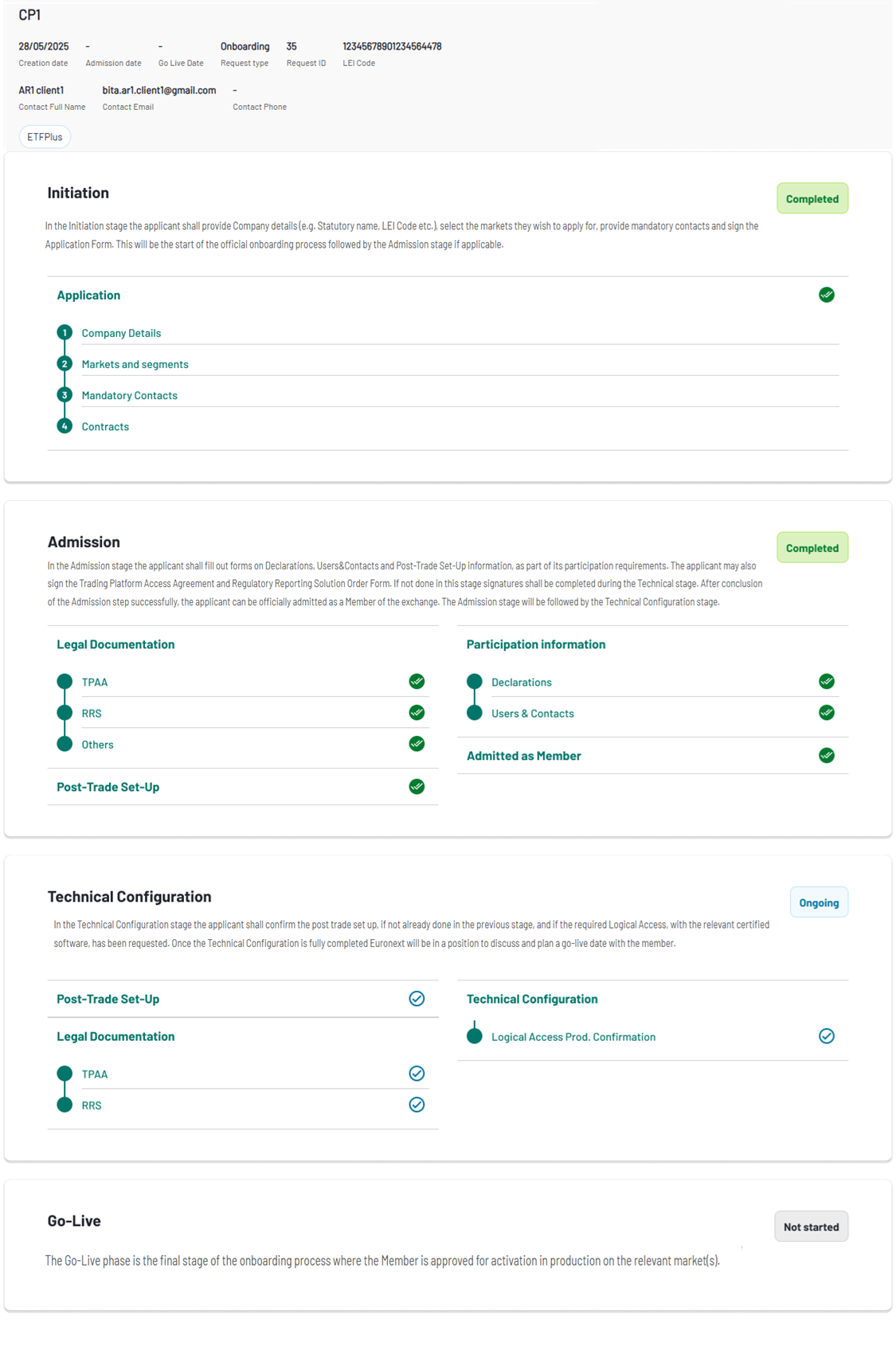
In the Technical Configuration stage the Member will need to complete the following forms:
- Legal Documentation
- Trading Platform Access Agreement (if not yet completed in the Admission phase)
- Regulatory Reporting Solution (if not yet completed in the Admission phase)
- Post-Trade Set-up
- Firm IDs
- Logical Access
Legal Documentation
The Trading Platform Access Agreement (TPAA) governs access to and use of the Euronext Optiq trading platform. This agreement must be signed before access to the platform is granted.
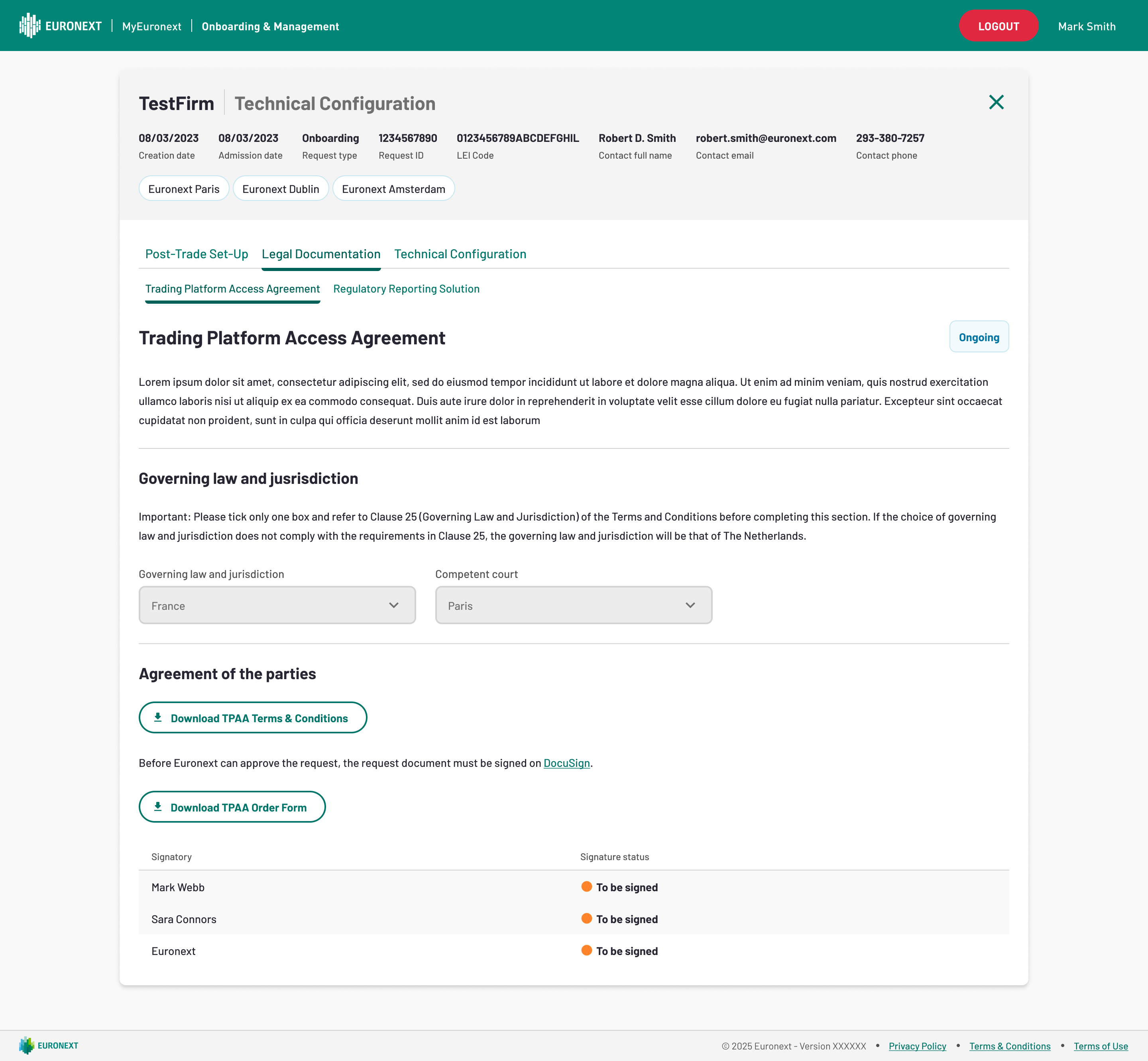
Having concluded the Trading Platform Access Agreement (TPAA) form, the user is able to proceed and set-up the appropriate Euronext Reporting Service solution.
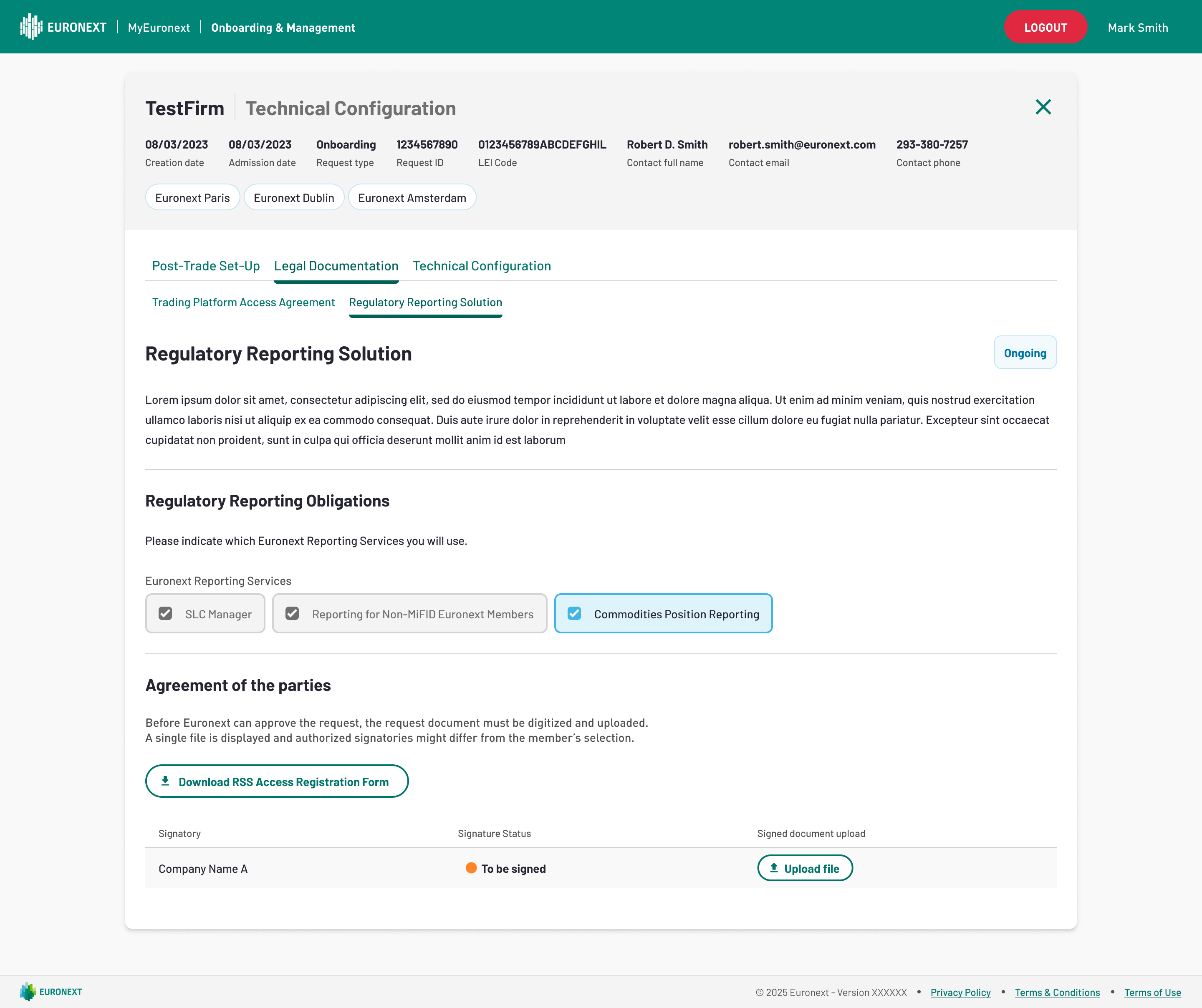
Please note that, as exemplified in the image above, it's possible to request Euronext for the Manual Signing option for either of the forms (in this case, it was selected for the Euronext Reporting Service solution). Otherwise, by default, DocuSign is applied (as shown for the Trading Platform Access Agreement (TPAA) form.
Post-Trade Set-up
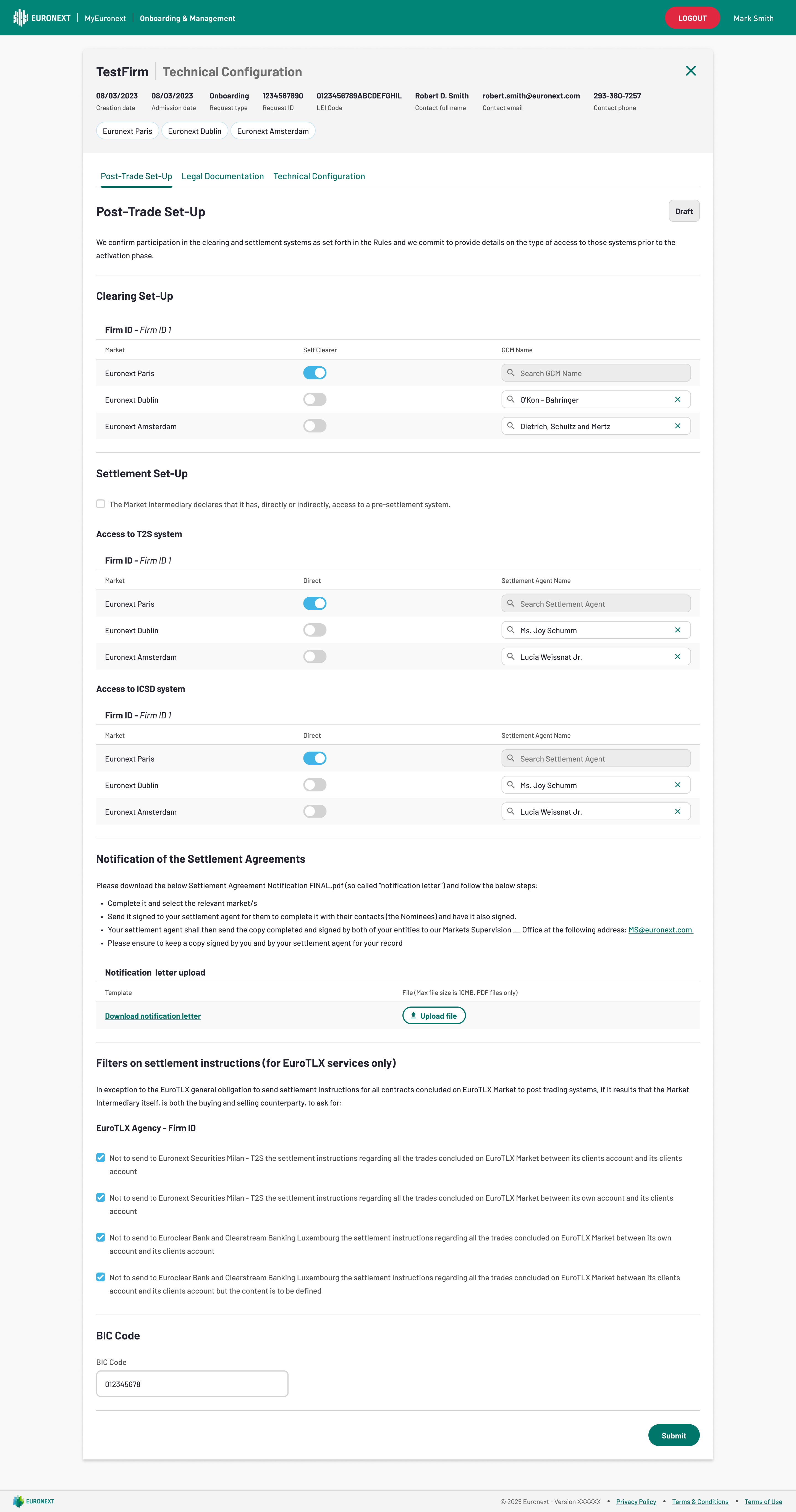
Please note, for Post-Trade Set-Up, in case it was already completed in the Admission phase, the details need to be confirmed by clicking on Submit. In case this was not yet done in the Admission phase, the Member will need to fill in the relevant details and Submit.
Firm IDs
- In the commercial name field, the Member may indicate a different name to be used for its membership compared to its statutory name. Please note that, if no commercial name is filled-in, the statutory name will be used by default.
- Euronext will assign a Firm ID to the Member which is being confirmed in this section.
Logical Access
- The Member should confirm the necessary Logical Accesses (Order Entry Gateways) has been requested through the Logical Access module available here.