
Portfolio & reference
Managing the Portfolio (companies)
The Portfolio Management page is the single source of companies used to classify CA records; a CA record can only reference a company that exists here.
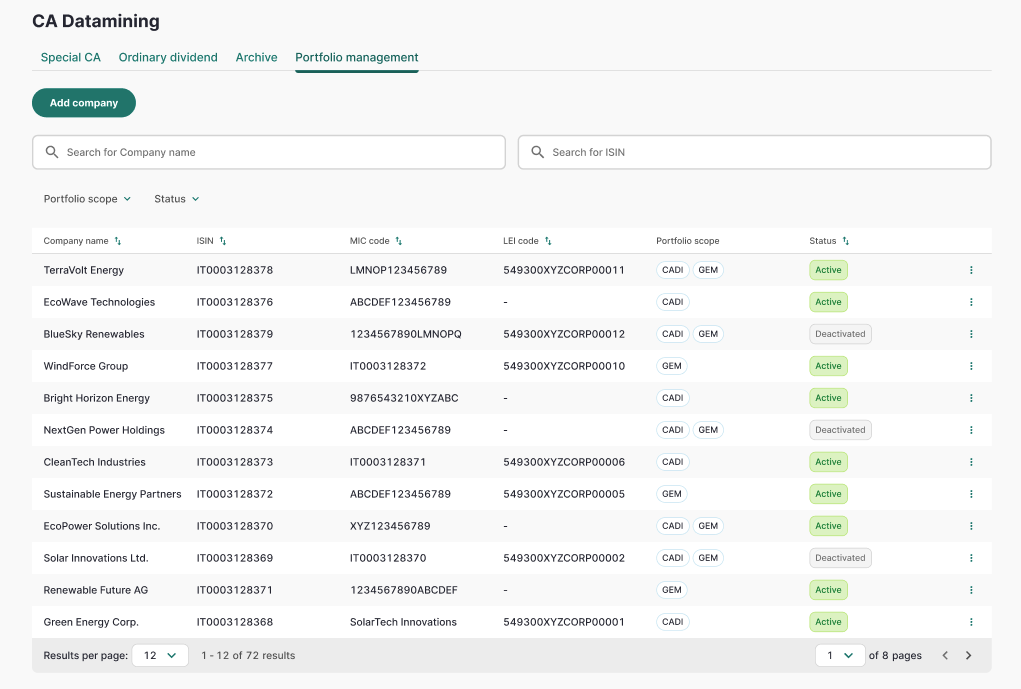
View, search & filter
- The list is paginated and shows Company name, ISIN, MIC code, LEI code, Portfolio scope (CADI / GEM, possibly both) and Status (Active / Deactivated).
- Two search boxes are available: Search for Company name (minimum 3 characters) and Search for ISIN, plus a Portfolio scope filter and a Status filter. Both Active and Deactivated companies are shown.
- Columns are sortable. Each row has a vertical (⋮) menu with Edit and Deactivate (or Activate for deactivated companies).
Add a company
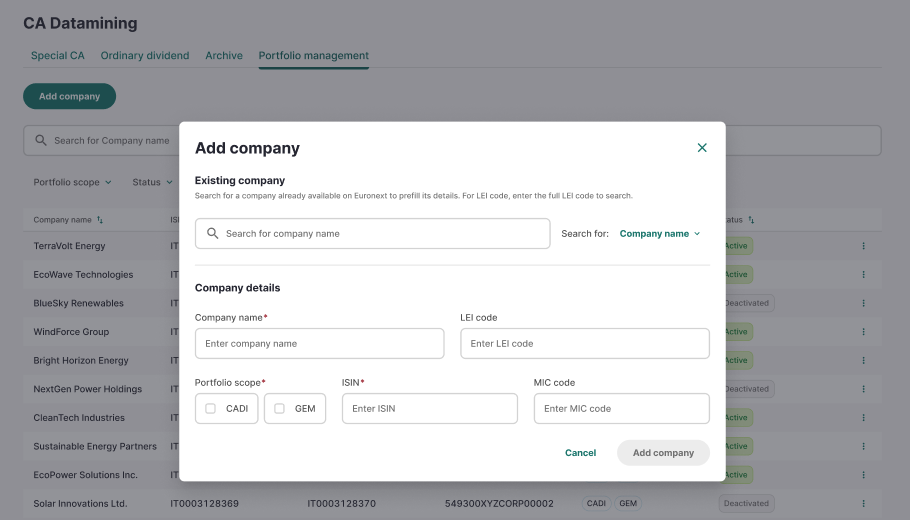
- Click Add company. The form requires Company name, Portfolio scope (multi-select CADI and/or GEM, at least one) and ISIN; MIC code and LEI code are optional.
- Optionally use the Existing company search (mode selector: Company name or LEI code) to link an existing company from Company Settings — this pre-fills editable Company name and LEI code only (not ISIN).
- Submit — a "New company added" toast confirms the creation. Creating a company whose ISIN + MIC code combination already exists (Active or Deactivated) is blocked with a "This company already exists" toast.
Edit, deactivate and reactivate
- Edit opens the same form with all fields editable, including removing the Company Settings link if one was set. Saving shows a "Changes saved" toast.
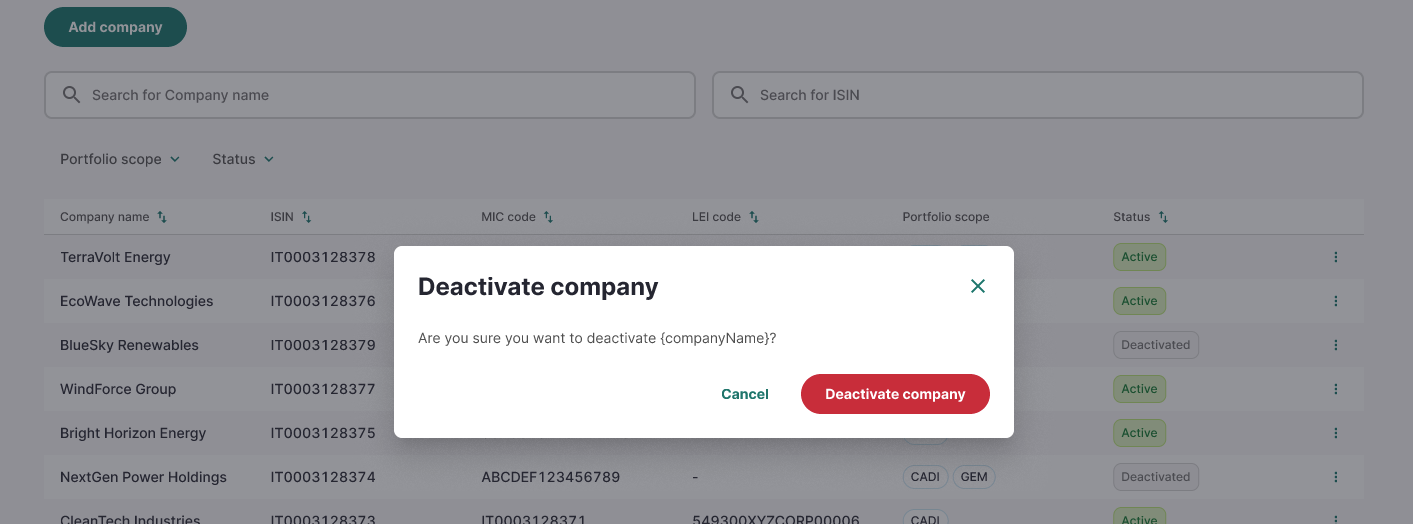
- Deactivate asks for confirmation ("Are you sure you want to deactivate [companyName]?"); the company remains in the list with a "Deactivated" badge and is excluded from future portfolio matching, but records that already reference it keep their assignment.
- Activate reverses a deactivation via a similar confirmation dialog and a "Company activated" toast.
Roles & permissions
Role | Special CA queue | Portfolio Management |
|---|---|---|
CA Datamining Analyst | Full access: view, edit, create, review, reject, retry, export | Read-only |
Portfolio Management | Read-only | Full access: view, add, edit, deactivate, activate |
There is a single Analyst role covering both CADI and GEM (LPOI) — Portfolio scope is only a classification tag, not a read or write restriction.
Field reference
Field | Where | Notes |
|---|---|---|
Company Name | List, detail, create/edit | Mandatory on create; sourced from the Portfolio |
ISIN | List, detail, create/edit | Optional on the CA record itself; mandatory on the Portfolio company |
Effective Date | List, detail, create/edit | Mandatory on create |
Action Type | List, detail, create/edit | Mandatory on create; drives which type-specific fields appear |
AI Status | List, detail | Read-only, system-derived |
Validation Status | List, detail | To be reviewed / Reviewed / Rejected |
Details / Notes | Detail, create/edit | Mandatory on create/edit; free text |