
Segment Addition
If the company is already a Trading Member and wants to join Euronext segments of the Markets in which it has already been onboarded , it is possible to do so through the Segment Addition section. This process is a simplified version of an Extension request and ensures that the setup is complete from legal, technical, and operational perspectives.
How does the Segment Addition process work?
Each request goes through 3 different stages :
- Initiation
- Technical Configuration
- Go-Live
Each stage starts when the previous one is completed.
For each one of these stages, the request goes through different statuses :
- Not started
- Ongoing
- Pending Approval
- Acknowledged
- Pending Customer Review
- Completed
- Cancelled
You will be able to start and submit a request by:
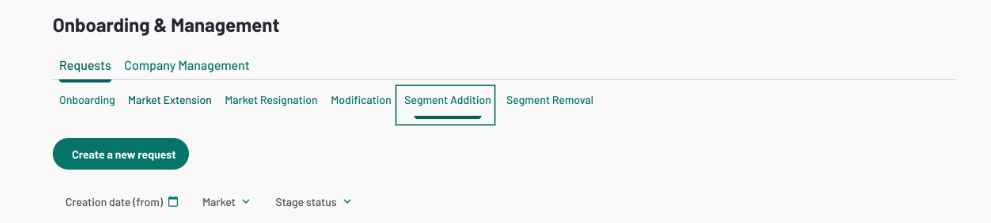
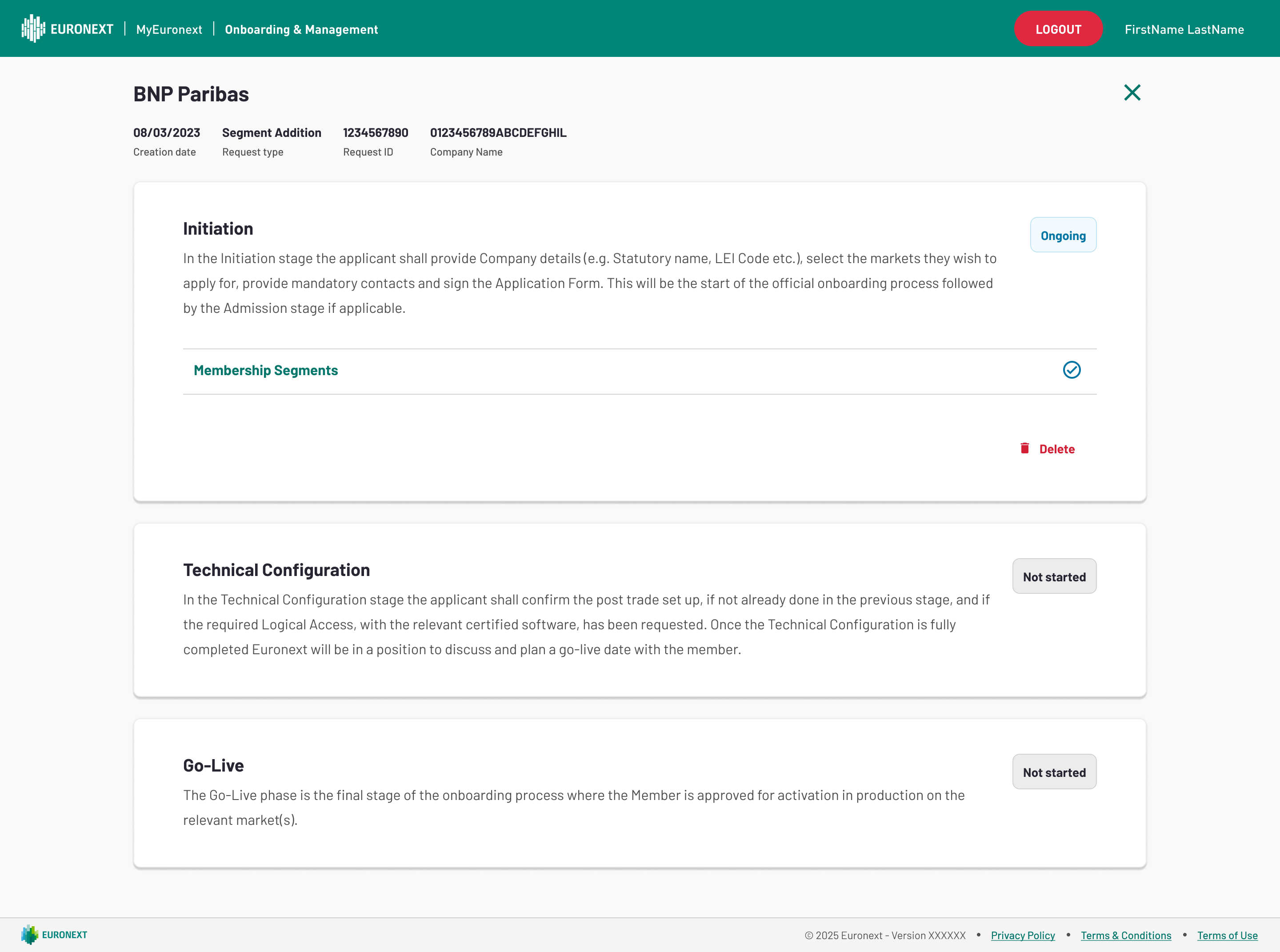
Initiation
The Member is presented with all the markets to which they were onboarded. Under each market, the Member has the Segments for which it already has Trading Authorizations.
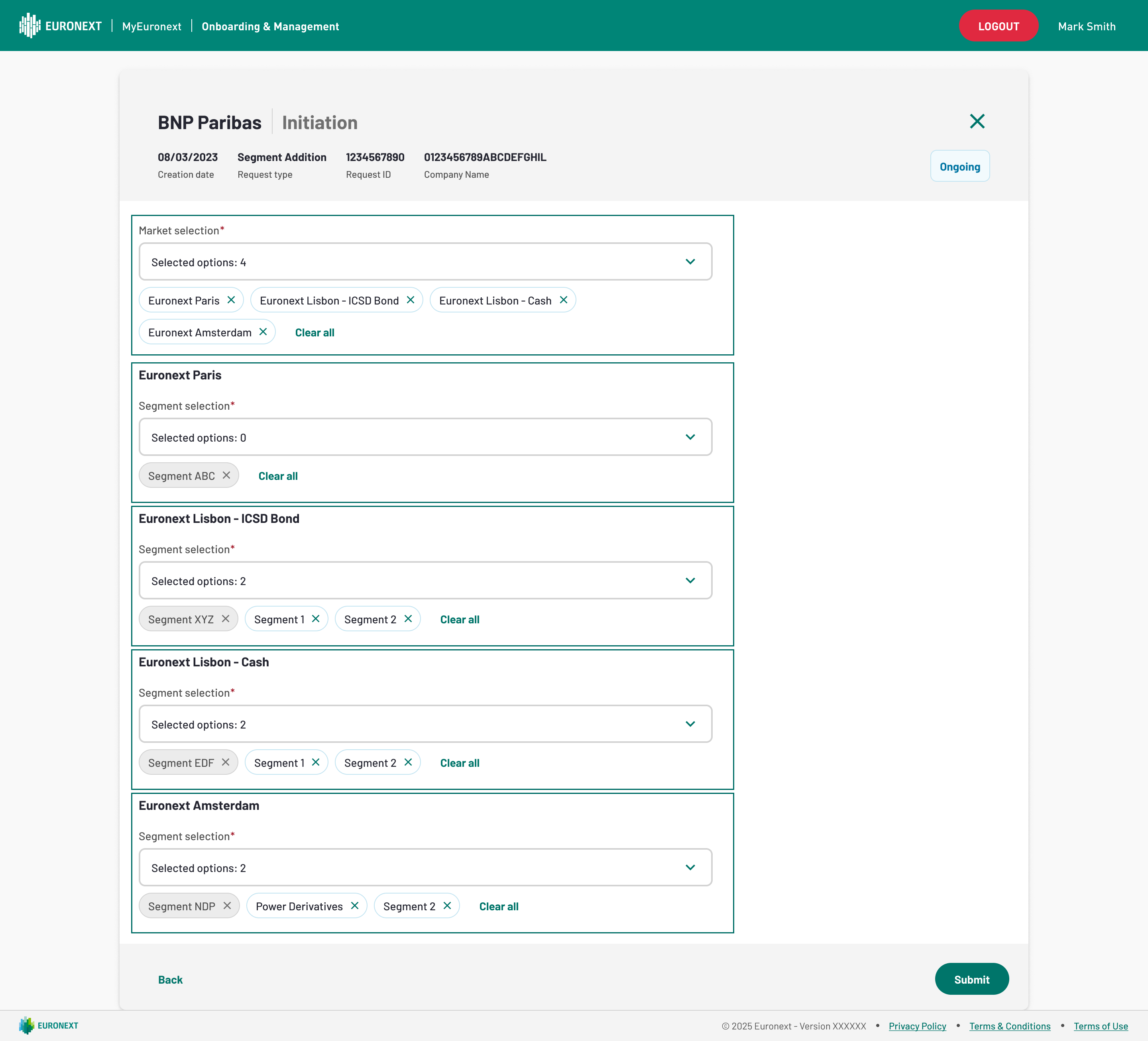
In the dropdown available under each Market, the Member is able to select multiple Segments that belong to said market and, once selected, the segments become available just under the dropdown. However, if the Member regrets a selection, they can click on 'X' or 'Clear All' (clearing all the segments newly selected from the dropdown).
Technical Configuration
Upon opening the Technical configuration section of the Segment Addition, the Member is presented with the following sections to populate:
- FirmIDs;
- Post-Trade Set-Up;
Firms
The Member is able to configure which, of the membership segments being extended to, is to be applicable for the different FirmIDs:
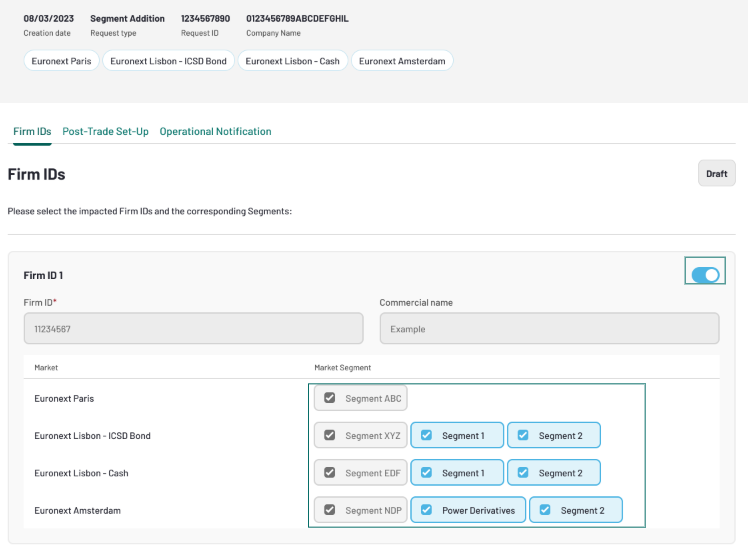
- The segments are able to be configured:
- By default, the Firm IDs are toggled off;
- By indicating whether the "Segment Addition" applies to a certain Firm ID by using "Switch On/Off" button next to the Firm ID;
- If a Firm ID is "switched on", then all Segments indicated in the Initiation appear available for selection for the Firm ID;
- It's up to the Member to review whether a Segment is to be applied to Firm ID in its Market;
- In case the Segment:
- is already used for a given Firm ID, it appears greyed out (to remove it, the Member ought to submit a Segment Removal request);
- is not yet allowed for a given Firm ID, it appears available for selection for that Firm ID (case of Firm ID 2 on Segment ABC of Market "Euronext Paris")
Post-Trade Set-Up
Once the Initiation step is complete, the Member may advance to the Post-Trade Set-Up section.
Within the Post-Trade Set-up section, the Member is presented with the following screen:
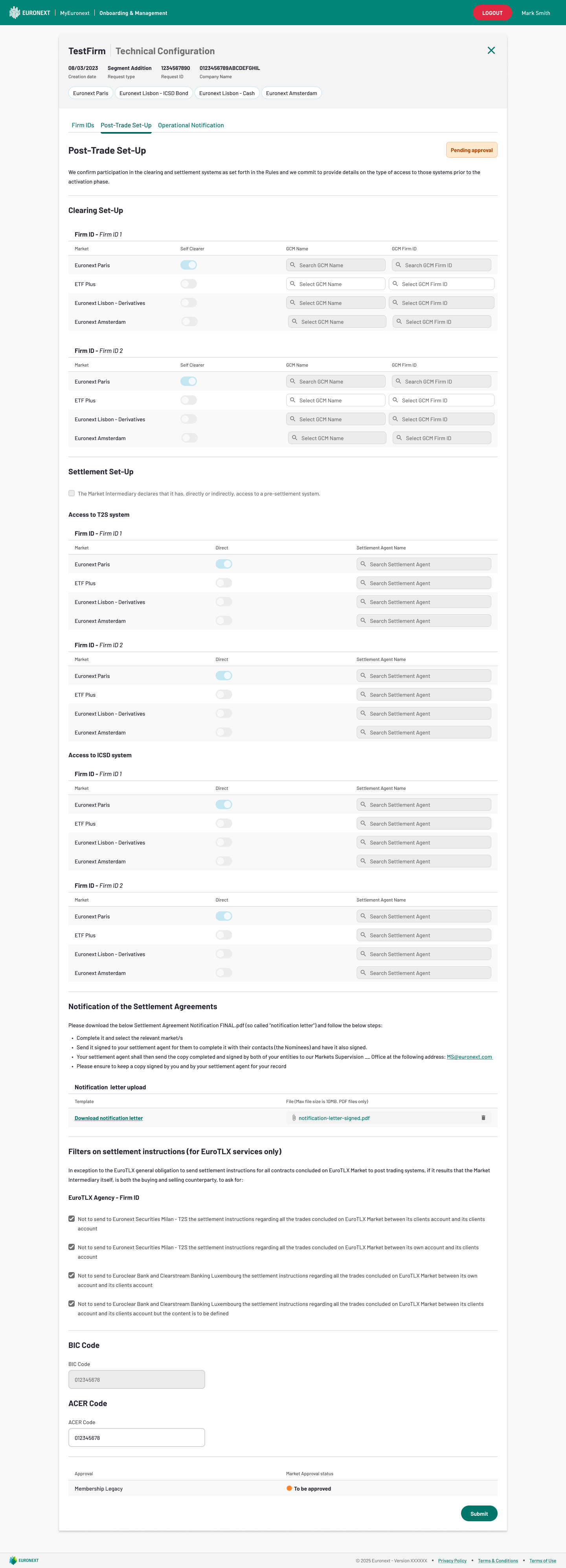
- Post-Trade Set-up data is defined per clearing category:
- If the new segment belongs to an already authorized category, it is automatically included in that category and greyed out (there is no possibility to change it);
- the already defined category is greyed out and not possible to amend because it would imply a change in all the segments already authorized;
- If the new Segment belongs to a category not yet authorized, it allows for its configuration (which is the case of Fixed Income Segments, as represented in the screen with Euronext Lisbon - ICSD Bond)
- Example:
- A company is already authorized on Amsterdam Derivatives Market - Segment A, belonging to Clearing Category "Amsterdam Derivatives A";
- There is a new request of Segment Extension on Amsterdam Derivatives on Segment B:
- if Segment B belongs to Clearing Category "Amsterdam Derivatives A" -> in the Post-trade Amsterdam Derivatives Clearing Category A: it displays the same as in Company Management, but greyed out;
- if Segment B belongs to Clearing Category "Amsterdam Derivatives B" -> in the Post-trade Amsterdam Derivatives Clearing Category B: it displays the same as in Company Management, but configurable;
After the Post-Trade Set-Up is approved, the status updates accordingly. If Euronext rejects it, the form goes back to the external user to recheck. If the internal user approves it, the status is updated
Post-Trade Set-Up
Once the Technical Configuration is dealt with, the user can address the Go-Live workflow:
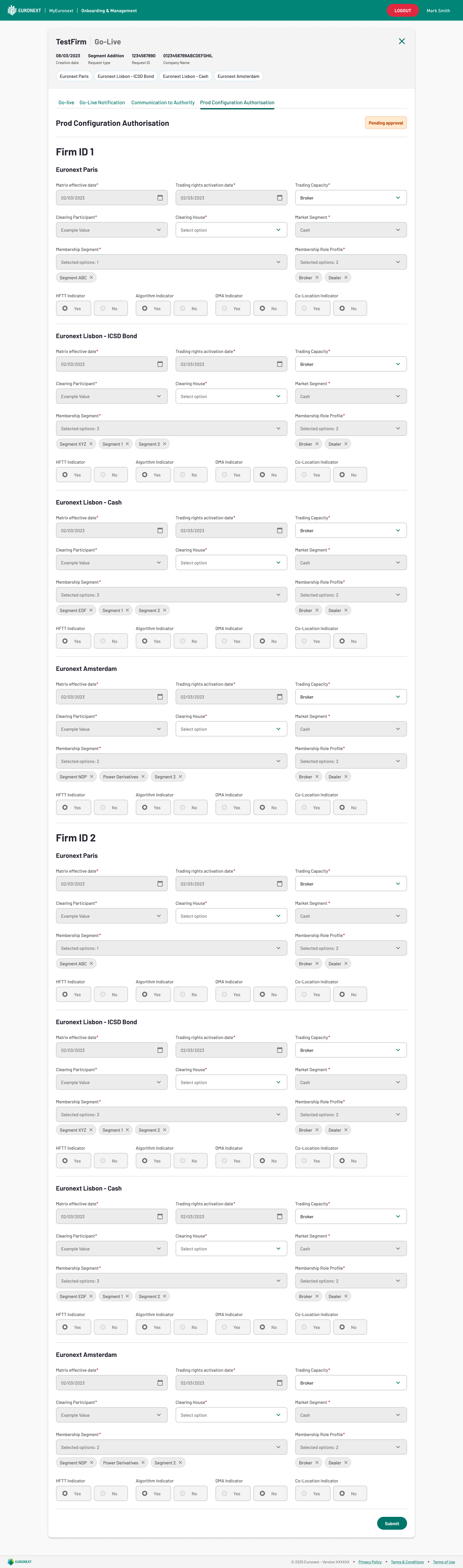
The entirety of the flow is mapped in the corresponding feature of Go-Live, with the following exceptions:
- the Users & Contacts, as that is not a necessary step of Segment Addition requests;
- the Declarations, as that is not a necessary step of Segment Addition requests;
- the Post-Trade Set-Up, as that was treated in the Technical Configuration - Post-Trade Set-Up;
- the Communication to Authority, as that is not a necessary step of Segment Addition requests;
Considering the information previously submitted by the Firm upon onboarding into the Market, fields in the Go-Live - Prod Configuration Authorisation are pre-populated.